Build a 12-Month Seasonal Keyword Calendar to Get Cited by ChatGPT, Gemini, and Perplexity
A practical 12-month framework for finding seasonal keywords, publishing at the right time, and building useful pages that search engines and AI assistants can understand.
Get the seasonal keyword calendar template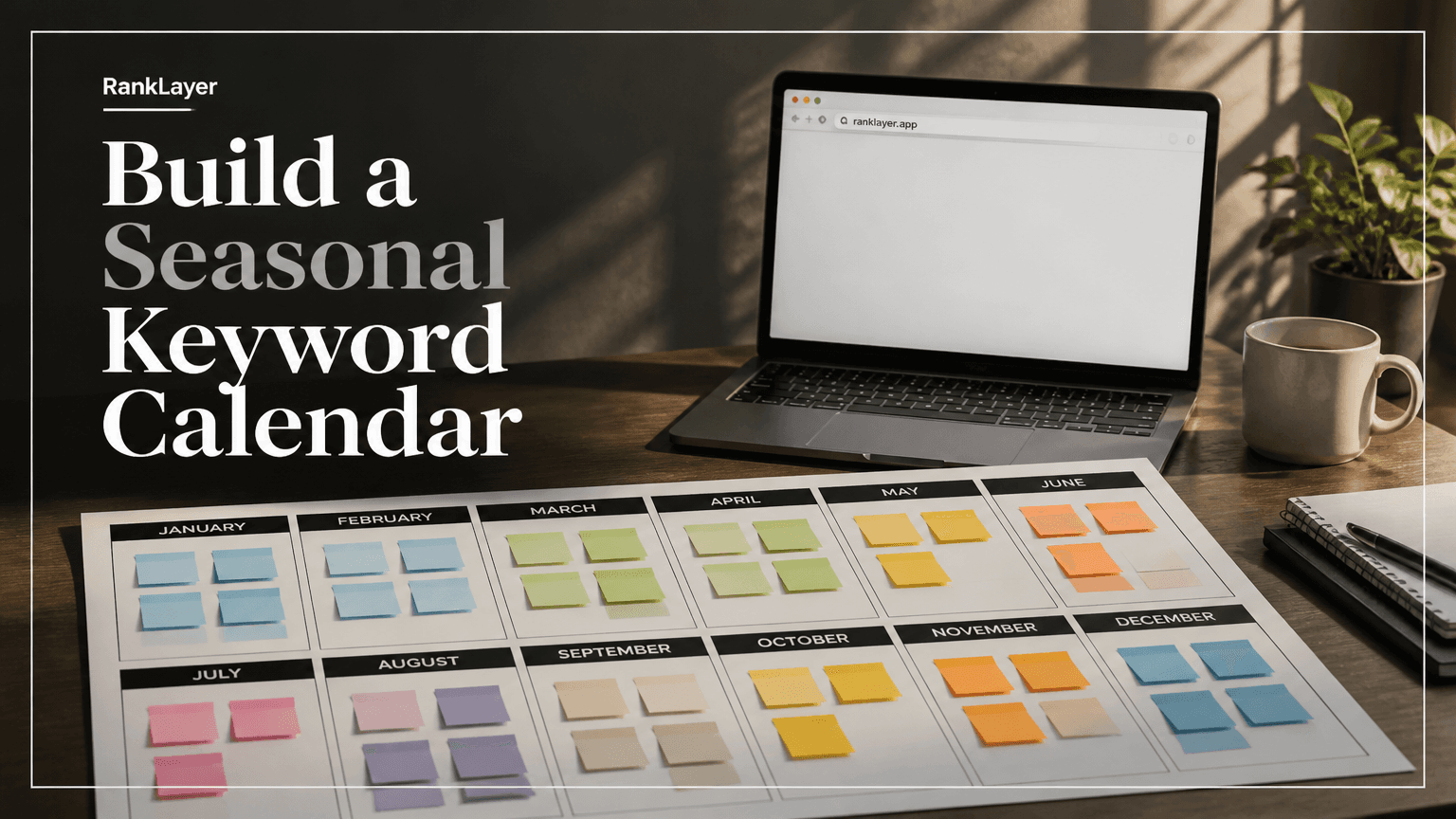
In this article8 sections
- Why a seasonal keyword calendar matters for AI citations
- How to discover seasonal search terms your customers actually use
- How to build your 12-month seasonal keyword calendar
- A practical 12-month seasonal keyword calendar example
- When should you publish seasonal pages for Google and AI answers?
- How to operationalize the calendar without a development team
- What makes a seasonal page more likely to be useful and citable?
- Common seasonal keyword calendar mistakes to avoid
Why a seasonal keyword calendar matters for AI citations
A 12-month seasonal keyword calendar maps the searches your customers make throughout the year to the pages you should publish before demand peaks. It helps you move beyond generic topics such as “best dentist” or “online accounting software” and plan for specific moments, including “emergency dentist before Christmas,” “back-to-school laptop deals,” or “best tax software for freelancers.”
Seasonal demand is often predictable, but the exact timing varies by industry and location. A restaurant may see searches for Valentine’s Day menus several weeks before February 14, while a beach equipment store may see demand build gradually from March through June. Your calendar should capture both the event and the preparation period before it.
This matters for Google, but it also matters for AI answer engines. ChatGPT, Gemini, and Perplexity need accessible, relevant information to answer time-sensitive questions. A page that clearly explains your seasonal offer, service area, availability, pricing context, and practical advice gives these systems more useful material to retrieve and summarize.
There is no guaranteed formula for being cited. AI systems change, and citations depend on factors such as relevance, crawlability, authority, freshness, and the quality of competing sources. Still, publishing a helpful page two days before demand arrives is usually worse than publishing it several weeks ahead, giving search engines time to discover and evaluate it.
For small businesses, this is a timing problem more than a creativity problem. You may already know your busiest periods. The opportunity is to turn that knowledge into a repeatable publishing schedule instead of scrambling to write a post when the phones are already ringing.
How to discover seasonal search terms your customers actually use
Start with your own business calendar. List holidays, weather changes, school dates, tax deadlines, product launches, booking cycles, local festivals, and industry events. Then add the customer action connected to each moment, such as buy, compare, book, repair, prepare, deliver, or find near me.
For example, a local florist might turn “Mother’s Day” into several distinct keyword groups: “Mother’s Day flowers delivered,” “same-day Mother’s Day roses,” “Mother’s Day flowers near me,” and “best flowers for a new mom.” These phrases describe different needs, budgets, and levels of urgency. One broad holiday article will rarely serve all of them well.
Google Search Console is especially useful when your site or blog already receives impressions. Its Performance report can reveal queries that appeared during the previous season, even when they generated very few clicks. Export the data by date range, compare the same period year over year, and group similar queries by intent.
Use Google Trends to inspect relative interest over time. Trends does not provide absolute search volume, and low-volume terms may appear as zero, but it can show whether interest typically rises in October, peaks in November, or continues into December. That timing is often more valuable than a single volume estimate.
Search suggestions, People Also Ask questions, customer emails, review language, marketplace questions, and sales conversations add the human layer. If customers repeatedly ask, “Can you deliver this before Thanksgiving?” that wording may become a strong seasonal topic, even if a keyword tool reports little or no volume.
A useful rule is to collect at least five variations for every seasonal event: an informational question, a product or service query, a comparison query, a local query, and an urgent query. This creates a balanced calendar instead of a pile of nearly identical holiday posts. The keyword ROI scorecard can help you separate attractive traffic ideas from topics that have a realistic path to revenue.
How to build your 12-month seasonal keyword calendar
- 1
Mark the demand trigger
Write down the event, deadline, weather shift, or buying moment that creates demand. Include the exact date when possible, plus a broader season such as winter, summer, graduation season, or tax season.
- 2
Estimate the preparation window
Record when people usually begin researching, not only when they purchase. Start with four to eight weeks for planned purchases and services, then shorten the window for urgent local needs such as repairs, appointments, and last-minute gifts.
- 3
Collect query variations
Build a small cluster around each event. Include who, what, where, when, price, comparison, availability, and urgency modifiers. For a wedding photographer, this might include “engagement photos in Austin,” “wedding photographer packages,” and “last-minute wedding photographer availability.”
- 4
Assign the right page type
Choose whether the query needs a guide, service page, product collection, FAQ, comparison page, local page, or short update. A seasonal keyword calendar becomes much easier to execute when every row already has a clear page format.
- 5
Score business value
Rate each keyword from one to five for demand timing, customer intent, business fit, local relevance, and citation potential. Prioritize topics with a clear customer problem and information your business can explain accurately.
- 6
Schedule pre-season publication
Publish the core page before the peak, then add supporting pages as the event approaches. A practical sequence is one foundational guide six to eight weeks early, supporting answers three to four weeks early, and urgent updates during the final week.
- 7
Review after the season
Compare impressions, clicks, conversions, calls, bookings, and assisted revenue with the same period from the prior year. Keep pages that earned useful visibility, improve pages with impressions but weak clicks, and merge thin pages that competed for the same intent.
A practical 12-month seasonal keyword calendar example
The calendar below is a starting framework, not a universal list. Your location, audience, and industry should change the topics. A tax firm may treat January as its main planning month, while a home services company may focus on weather patterns and local housing activity.
| Month | Seasonal demand to investigate | Example keyword angles | Recommended publishing window | |---|---|---|---| | January | New-year planning, winter problems, annual budgets | “best bookkeeping software for a new business,” “winter plumbing emergency,” “how to plan a marketing budget” | Publish core guides in November and December | | February | Valentine’s Day, tax preparation, winter promotions | “same-day Valentine’s gifts,” “tax checklist for freelancers,” “winter dental emergency” | Publish six to eight weeks early | | March | Spring cleaning, spring travel, early home projects | “spring cleaning service near me,” “best shoes for spring travel,” “spring HVAC maintenance” | Publish in January and February | | April | Easter, graduation planning, tax deadlines, allergy season | “graduation gifts for college students,” “allergy-friendly cleaning,” “last-minute tax help” | Publish in February and March | | May | Mother’s Day, weddings, outdoor activities, moving season | “Mother’s Day delivery near me,” “wedding photographer packages,” “moving checklist” | Publish in March and April | | June | Father’s Day, summer travel, weddings, school breaks | “Father’s Day gifts for golfers,” “summer camp checklist,” “air conditioner repair near me” | Publish in April and May | | July | Independence Day, vacations, home repairs, back-to-school research | “July 4 restaurant specials,” “summer vacation packing list,” “best laptops for college” | Publish in May and June | | August | Back-to-school purchases, late-summer services, fall planning | “back-to-school tutoring,” “college dorm essentials,” “fall landscaping preparation” | Publish in June and July | | September | Fall routines, local events, SaaS budget planning, early holidays | “fall dental checkup,” “software budget planning,” “holiday inventory planning” | Publish in July and August | | October | Halloween, fall home maintenance, holiday research | “Halloween events near me,” “fall roof inspection,” “early holiday gift ideas” | Publish in August and September | | November | Black Friday, Cyber Monday, Thanksgiving, annual planning | “Black Friday alternatives,” “Thanksgiving catering near me,” “holiday shipping deadlines” | Publish in September and October | | December | Christmas, last-minute purchases, year-end services, next-year planning | “same-day Christmas delivery,” “year-end accounting checklist,” “New Year marketing plan” | Publish in October and November |
For each month, avoid publishing twelve nearly interchangeable articles. Choose one authoritative seasonal hub, then support it with pages that answer distinct questions. This structure gives users a clear path and helps search engines understand how the topics relate.
A simple CSV template can contain these columns: month, event, keyword, intent, location, page type, publication date, refresh date, primary offer, target conversion, GSC impressions, GSC clicks, conversions, and notes. Add a seasonality signal from one to five, then sort by publication date and business value.
For example, one row might read: “October, Halloween, family Halloween events in Denver, local discovery, Denver, local guide, 2026-08-25, 2026-10-10, event tickets, ticket purchase, 420, 18, 3, add parking details.” The numbers should come from your own data, not from a made-up benchmark.
When should you publish seasonal pages for Google and AI answers?
The right cadence depends on how much research the customer needs. Planned purchases, professional services, weddings, travel, and education often deserve a six to twelve week runway. Emergency services and last-minute local searches may need pages that are continuously available and refreshed with current hours, service areas, and response information.
A useful three-phase model is pre-season, peak-season, and post-season. In pre-season, publish the durable guide and explain options. During peak season, update availability, deadlines, pricing context, and local details. After the event, preserve useful evergreen sections while revising dates and removing expired promotions.
Daily publishing is not automatically better. Seven thin pages that repeat the same paragraph can create a poor user experience and may compete with one another. One strong guide, three focused supporting pages, and a timely update can be more useful than thirty pages with almost no original information.
Use a publication schedule that your team can maintain. For a solo professional, one seasonal hub and two supporting articles per month may be enough. For an online store with hundreds of products, templates and controlled data fields can support a larger program, provided every page has a meaningful reason to exist.
Google recommends using Search Console to understand how people discover your content and how it performs. Its official Performance report documentation explains the query, page, country, device, click, impression, and position dimensions available for analysis.
For AI citations, make the answer easy to verify. Put the direct answer near the beginning, state the date or season clearly, identify the location served, explain who the recommendation is for, and link to supporting details. This is not about writing for robots. It is about making your page genuinely useful when a person asks a conversational question.
How to operationalize the calendar without a development team
- 1
Connect your first-party data
Use Google Search Console data to identify queries and pages that showed seasonal impressions in previous periods. Export the rows, group similar phrases, and remove terms that do not match your products, services, or locations.
- 2
Create a seasonal content brief
For each priority keyword, define the audience, search intent, event date, preparation window, local details, offer, internal links, and refresh rule. Include facts that an AI answer engine can quote accurately, such as service areas, deadlines, inclusions, and exclusions.
- 3
Schedule the pre-season sequence
RankLayer can use a hosted AI blog workflow to create and publish scheduled articles without requiring WordPress, a separate website, or developer support. Set the foundational page first, then schedule supporting questions and timely updates around the demand curve.
- 4
Apply GEO and quality controls
Use clear headings, concise answers, consistent business information, descriptive metadata, useful internal links, and visible trust details. Review regulated or high-risk topics manually, especially when content could be interpreted as medical, legal, or financial advice.
- 5
Measure and refresh
Connect Search Console and analytics data, then review impressions, clicks, engagement, leads, calls, bookings, and sales by seasonal cluster. Refresh successful pages with the next season’s dates and archive or redirect genuinely expired pages instead of leaving outdated promises online.
What makes a seasonal page more likely to be useful and citable?
- ✓Lead with a direct answer. A page about holiday shipping should state the recommended order-by date before explaining the background.
- ✓Add a visible time reference. Say whether information applies to the 2026 holiday season, a specific month, or a recurring annual event.
- ✓Include original business details. Service areas, delivery zones, appointment capacity, product constraints, examples, and operating hours are more useful than generic seasonal filler.
- ✓Match the page to one primary intent. “Best Christmas gifts for teachers” and “same-day Christmas gift delivery” may deserve separate pages because the customer needs and conversion paths differ.
- ✓Use a question and answer structure where appropriate. Clear questions such as “When should I book?” and “What does the package include?” reflect how people ask ChatGPT, Gemini, and Perplexity for help.
- ✓Keep facts consistent across your blog, business profile, product pages, and social listings. Conflicting hours, prices, or locations can weaken customer trust and make automated answers less reliable.
- ✓Build internal context. Link seasonal guides to relevant service pages, product categories, location pages, and evergreen explanations. A page should not be an isolated island published once a year.
- ✓Refresh rather than duplicate. Update a durable URL when the intent remains the same, and create a new page only when the audience, offer, or search intent genuinely changes.
- ✓Track outcomes beyond rankings. A seasonal page ranking at position eight may still produce valuable calls or bookings, while a high-traffic informational page may never create a customer.
- ✓Use human review for sensitive claims. Automated publishing can save time, but regulated industries need careful checks for accuracy, disclaimers, and professional responsibility.
Common seasonal keyword calendar mistakes to avoid
The most common mistake is publishing at the moment demand peaks. If a page needs to be discovered, crawled, indexed, and evaluated, launching it on the morning of the event gives it very little runway. Build the page early, then update the details as the season gets closer.
Another mistake is treating a holiday as a single keyword. “Valentine’s Day” could represent gifts, restaurants, flowers, events, date ideas, delivery, recipes, or last-minute bookings. Your business should choose the subset it can serve well instead of trying to own every interpretation.
Many businesses also forget local modifiers. Searchers may ask for “Christmas catering in Phoenix,” “best summer camp near Plano,” or “emergency AC repair in Miami,” not just the national version of the query. Add location only when you can provide real local value, such as service boundaries, delivery timing, neighborhood knowledge, or local regulations.
Expired promotions create another trust problem. A page that still promises a 2025 discount in 2026 can undermine the rest of your content. Replace old dates, remove unavailable offers, and clearly label historical examples when they remain useful.
Finally, do not judge the calendar after one week. Seasonal performance should be compared with the same period, query group, and business goal. Review leading indicators such as impressions and clicks early, but wait for enough conversion data before deciding whether a seasonal topic deserves another publishing cycle.
A strong calendar becomes a learning system. Each season tells you which questions appeared earlier than expected, which locations converted, which phrases brought urgent customers, and which content formats earned attention without revenue. Feed those findings into next year’s calendar rather than starting from a blank spreadsheet.
Frequently Asked Questions
How far in advance should I publish seasonal SEO content?▼
Publish planned seasonal content about six to eight weeks before the main demand period, and start earlier for competitive topics such as holiday shopping, travel, weddings, and education. Local urgent services can use evergreen pages that are refreshed with seasonal details and availability. Check your own Search Console data because some audiences begin researching months ahead, while others act only a few days before the event.
How do I find seasonal keywords for a local business?▼
Combine Google Search Console queries, Google Trends, autocomplete suggestions, customer questions, reviews, booking records, and sales conversations. Add local modifiers only when your business can provide location-specific information. Group the terms by intent, such as planning, comparison, booking, purchase, and urgent help, then map each group to a useful page type.
Can seasonal content increase the chance of being cited by ChatGPT or Gemini?▼
Planning ahead can improve your opportunity to be discovered and evaluated, but it cannot guarantee an AI citation. Create pages that answer specific seasonal questions with accurate dates, clear business details, useful local context, and accessible supporting information. AI systems may use different retrieval and ranking signals, so measure citations alongside Google visibility, referral traffic, calls, and conversions.
What should a seasonal page include so AI search engines can understand it?▼
Include a direct answer near the top, a clear date or season, the audience served, location details, product or service specifics, availability limits, and practical next steps. Use descriptive headings and concise question-and-answer sections where they fit naturally. Keep important facts visible on the page and consistent with your other public business information.
Which tools show historical seasonality for low-volume local keywords?▼
Google Search Console is useful for your own historical impressions and clicks, while Google Trends shows relative interest over time. Search suggestions, Google Business Profile questions, reviews, call transcripts, and booking data can reveal demand that third-party tools miss. For low-volume terms, look for repeated patterns across several related phrases instead of relying on one reported volume number.
Should I create a new page every year for the same seasonal event?▼
Usually, update a durable page when the search intent remains the same. Change the dates, availability, examples, pricing context, and internal links while preserving useful history only when it helps the reader. Create a new page when the audience, offer, location, or intent has materially changed, and redirect or consolidate duplicates that compete for the same query.
How can a small business manage seasonal publishing without a website team?▼
Start with a spreadsheet containing the event, keyword cluster, page type, publication date, refresh date, offer, and measurement goal. Use a hosted publishing platform such as RankLayer to schedule AI-assisted articles and connect Google Search Console data without maintaining WordPress or custom infrastructure. Keep human review for sensitive claims and verify that every page provides specific value for your customers.
Turn your demand patterns into a year-round content plan
Explore the seasonal calendar workflowAbout the Author
Vitor Darela de Oliveira is a software engineer and entrepreneur from Brazil with a strong background in system integration, middleware, and API management. With experience at companies like Farfetch, Xpand IT, WSO2, and Doctoralia (DocPlanner Group), he has worked across the full stack of enterprise software - from identity management and SOA architecture to engineering leadership. Vitor is the creator of RankLayer, a programmatic SEO platform that helps SaaS companies and micro-SaaS founders get discovered on Google and AI search engines