From Instagram Post to an AI-Citable Landing Page in 30 Minutes
Turn one useful post into a searchable landing page that customers and AI answer engines can find, understand, and act on, without building a website.
Get the no-code publishing checklist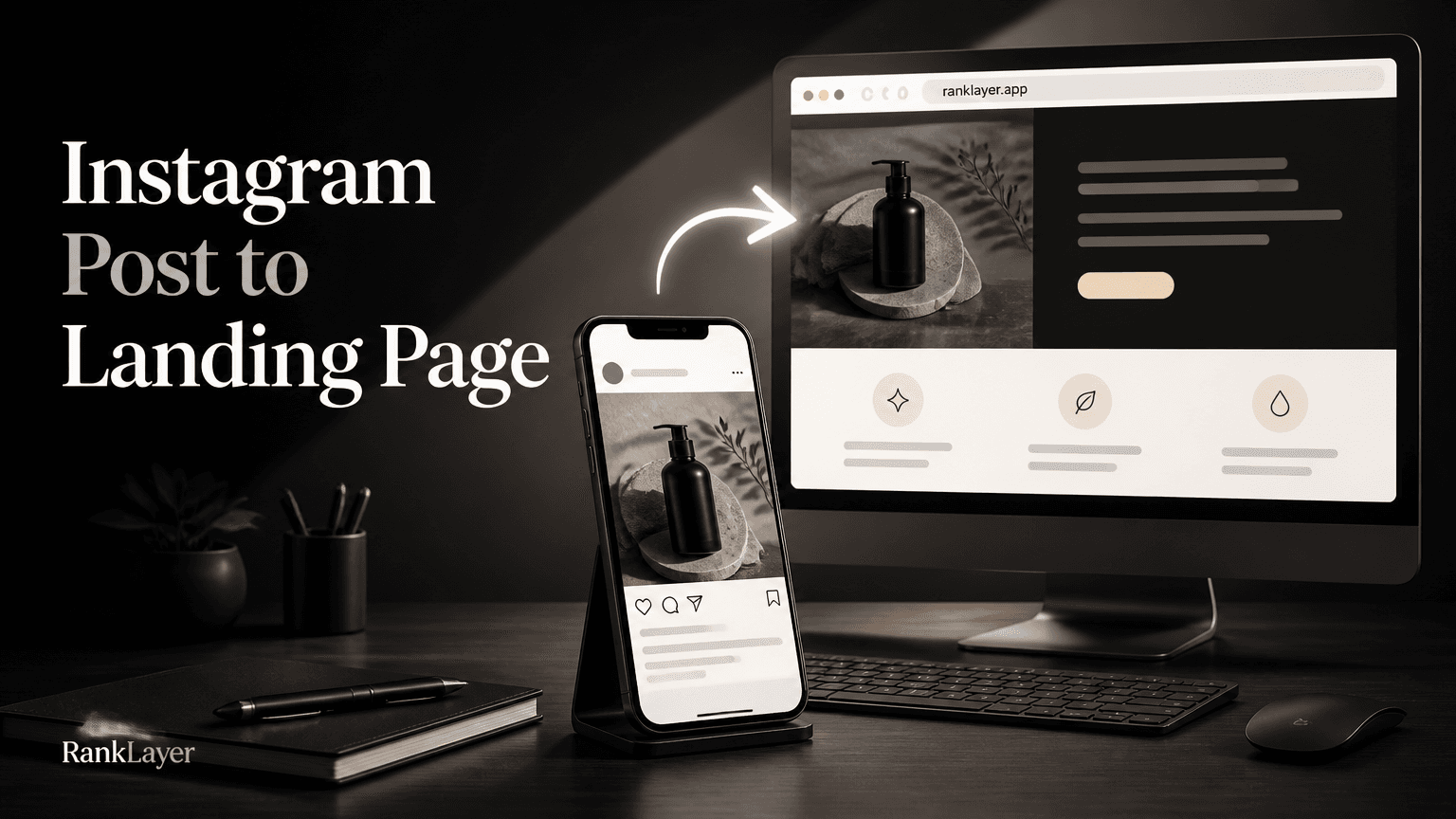
In this article11 sections
- Why an Instagram post is not enough for search visibility
- What to extract from an Instagram caption before building the page
- The 30-minute Instagram-to-landing-page workflow
- How to structure a landing page that people and AI can understand
- Can ChatGPT or Gemini cite a landing page without your own website?
- How to publish the page in RankLayer without building a website
- How to connect Google Search Console and monitor early AI citation signals
- What to measure, and which mistakes can quietly ruin the page
- A worked example: turning a short Instagram post into a useful page
- How to turn one landing page into a repeatable content system
- Your final 30-minute checklist before sharing the URL
Why an Instagram post is not enough for search visibility
An Instagram post can attract attention today, but an AI-citable landing page can keep answering customer questions long after the post leaves the feed. If you are trying to turn an Instagram post into an AI-citable landing page, the goal is not to copy the caption and call it done. The goal is to convert short, visual content into a clear, public web page that Google, ChatGPT, Gemini, and Perplexity can understand.
Social platforms are excellent for discovery. They are less reliable as a long-term information library because posts are buried by newer content, search access varies, and important details may live inside an image rather than readable text. A customer searching for “same-day floral delivery in Austin” may never see the post you published last Tuesday, even if it answers that question perfectly.
A landing page gives the idea a stable URL, a descriptive title, visible text, contact details, and a place to add context. That matters for people who search by typing a question and for answer engines that need concise, verifiable information before recommending a business.
You also do not need a full website to begin. A hosted page on a reputable subdomain can provide a practical starting point for a local shop, freelancer, coach, clinic, online store, or early-stage SaaS. Think of it as giving your best social content a small, searchable storefront instead of leaving it in a busy market stall.
The format works especially well for posts that contain a specific offer, location, product use case, customer result, event, frequently asked question, or timely announcement. A post saying “New vegan lunch boxes available every weekday in downtown Denver” already contains the raw material for a useful search page.
What to extract from an Instagram caption before building the page
Start with the post as a source document, not as finished landing page copy. Instagram captions are often conversational and abbreviated, while a searchable page needs explicit context. Pull out the facts that a stranger would need if they discovered the page without seeing the original image.
The first field is the core promise. Rewrite the post as a plain-language answer to a customer question, such as “Where can I book a 60-minute prenatal massage in Portland?” or “Which bookkeeping service helps freelancers file quarterly taxes?” This question becomes a strong working keyword and gives the page a clear job.
Next, capture the offer details: product or service name, price or starting price, availability, booking method, delivery area, opening hours, expiration date, and the action you want people to take. If a detail is not confirmed, leave it out rather than asking an AI system to guess.
The image deserves its own data pass. Record what is actually visible, including the product, setting, color, people, location, and relevant text. Use that information for descriptive image alt text, but do not stuff keywords into the alt attribute or describe details that cannot be seen.
Location tags are valuable when the offer is local. Convert a vague tag such as “SoHo” into a complete sentence: “Available for pickup near SoHo in Manhattan.” Include the city and state when they help someone identify the business. Local clarity beats clever wording here.
Finally, list the questions hidden inside comments and direct messages. If people asked “Do you ship?”, “Is this gluten-free?”, or “Can I schedule online?”, those questions belong on the landing page. A page that answers five real customer questions is usually more useful than a page padded with five hundred generic words.
For visual content, the guide to optimizing images and short videos for AI citations is a useful companion. The practical lesson is simple: visual signals can support discovery, but the important meaning should also be available as accessible text.
The 30-minute Instagram-to-landing-page workflow
- 1
Minutes 0 to 3: Choose one post with buyer intent
Pick a post that promotes a specific product, service, location, event, result, or answer. Avoid starting with a purely personal announcement because it may not match a searchable customer need.
- 2
Minutes 3 to 7: Write the one-sentence page purpose
Complete this sentence: “This page helps [audience] find or understand [offer] in [location or situation].” For example, “This page helps new parents find evening pediatric appointments in Raleigh.”
- 3
Minutes 7 to 12: Map the Instagram fields
Separate the caption into the offer, audience, location, benefit, proof, availability, CTA, and questions. Copy the image description into a working note, then check every fact against your current business information.
- 4
Minutes 12 to 17: Build the page outline
Use a short structure: direct headline, two-sentence answer, offer details, proof or context, FAQs, and one primary CTA. This gives readers quick answers while leaving enough depth for search engines to understand the page.
- 5
Minutes 17 to 22: Add quotation-ready microcopy
Write three factual sentences that could stand alone in an answer, such as who the offer is for, where it is available, and what makes it different. Keep each sentence specific, current, and easy to verify.
- 6
Minutes 22 to 26: Add SEO and trust fields
Set the URL slug, title tag, meta description, image alt text, business name, location, author or business attribution, update date, and contact method. Use the same business details that appear on your social profile and other public listings.
- 7
Minutes 26 to 30: Publish and test the customer journey
Open the page on a phone, test the CTA, check that the offer is still valid, and confirm that the page is publicly accessible. Then submit or connect the page for indexing and record the URL so you can monitor visits, queries, and early mentions.
How to structure a landing page that people and AI can understand
A strong page answers the reader’s main question near the top. Do not make people scroll through a brand story before learning what you sell, where you serve customers, or how to take the next step.
Use a headline that combines the offer with the situation or audience. “Custom cakes for birthday parties in Tampa” is clearer than “Sweet moments made special.” The second line can be warm and memorable, but the first line should remove guesswork.
Follow the headline with a direct answer of roughly 40 to 60 words. State what the business offers, who it helps, where it operates, and the primary benefit. This block is useful for visitors who skim and gives answer engines a compact explanation they can evaluate.
Then add an evidence block. Mention a concrete detail from the original post, such as a delivery window, ingredient, service area, course format, customer result, appointment length, or product specification. Specific facts create more trust than broad claims like “the best” or “world-class.”
A useful page also includes a short “What to expect” section. Explain the process in three steps, such as choose a package, confirm a time, and receive the service. Process clarity reduces friction and gives searchers more reasons to contact you.
Use FAQs to expand the page around genuine customer language. Each question should have a direct answer, not a vague invitation to get in touch. For example, “Do you deliver outside downtown Austin?” should be answered with the actual delivery boundary and any applicable fee.
Your CTA should match the page intent. A flash-sale page may use “Claim the offer,” while a professional service page may use “Request an appointment.” Keep one primary action and make secondary contact options, such as phone or email, easy to find.
For additional headline and opening-line ideas, use these 12 headline and lead-sentence formulas for AI answer engines. The formulas help you write clearly without making the page sound like a robot wearing a marketing hat.
Can ChatGPT or Gemini cite a landing page without your own website?
- ✓Yes, a business can publish a public landing page without owning a traditional website. A hosted subdomain gives the page a crawlable URL, but it does not guarantee rankings or AI citations. Discovery still depends on accessibility, useful content, consistent business information, indexing, and whether the page genuinely answers a relevant question.
- ✓A hosted page is usually faster and less expensive than building a full website when you need one focused destination. The tradeoff is branding and long-term control, so choose a provider that supports a custom domain later, exports or preserves your content, manages basic technical SEO, and lets you connect analytics and search tools.
- ✓A social profile can remain the distribution channel while the landing page becomes the reference page. Link to it from the Instagram bio, story, or post, and use a short URL in customer conversations. The social post creates initial attention, while the page gives search engines and future customers a stable source of details.
- ✓AI answer engines do not cite pages simply because they exist. They may use a page when it is relevant, accessible, specific, and supported by consistent signals elsewhere. Treat an AI citation as an outcome to measure and improve, not a button you can press.
- ✓Your page should be public, not hidden behind a form or login. A gated download may be useful for lead capture, but information that you want Google, ChatGPT, Gemini, or Perplexity to quote must be available in readable page content.
- ✓For local businesses, keep the name, address, phone number, hours, and service area consistent across the page, social profile, Google Business Profile, and relevant directories. Conflicting details can reduce confidence and create an unpleasant customer experience even when the page itself is well written.
How to publish the page in RankLayer without building a website
Once the content is mapped, a hosted publishing tool removes the technical chores that often stop small businesses from acting. RankLayer provides an AI-powered blog and hosted publishing environment, so you can create a landing page without installing WordPress, managing a server, or assembling a full site first.
Create a new landing page and choose a focused template rather than a general homepage layout. Enter the page purpose, target audience, offer, location, CTA, and the caption source. Include the image description, but upload or reference only assets you have permission to use and confirm that any people shown have appropriate consent.
Use the main keyword in the page title, URL slug, H1, and opening answer when it reads naturally. For a post about a weekend pottery class, a sensible setup could be “Weekend pottery classes in Asheville,” with a slug such as “weekend-pottery-classes-asheville.” Avoid repeating the phrase in every paragraph.
Complete the metadata fields next. Write a title that identifies the offer and location, a meta description that explains the benefit, and alt text that describes the image accurately. Add an FAQ section using questions from comments, DMs, calls, and sales conversations instead of invented filler.
Set a canonical URL if the same content exists elsewhere, and confirm that the page is indexable. RankLayer can also support connections such as Google Search Console, Google Analytics, Facebook Pixel, custom domains, and Zapier, allowing you to start with a hosted subdomain and add measurement or automation as your needs grow.
A practical publishing sequence is to post the page first, connect your search and analytics tools, then share the URL from Instagram. That order creates a clean starting point for measuring page visits and search activity. It also prevents the common mistake of sending social traffic to an unfinished page with an unclear next step.
If you are setting up several integrations, follow this no-code checklist for connecting Search Console, Analytics, and Facebook Pixel. It covers the setup logic without requiring you to become a part-time tracking engineer.
How to connect Google Search Console and monitor early AI citation signals
- 1
Create or select the Search Console property
In Google Search Console, add the exact hosted subdomain or custom domain where the landing page lives. A Domain property covers variations when you can verify DNS, while a URL-prefix property is useful when you need to verify a specific URL path or hosting setup.
- 2
Complete verification
Use the verification method Google offers for your property, such as a DNS record, HTML file, HTML tag, or connected analytics account. Follow Google’s current verification instructions because the available options depend on the property type and your access.
- 3
Connect the property in RankLayer
Open RankLayer’s integrations area, choose Google Search Console, and authorize the relevant Google account or provide the requested property connection details. Select the same property you verified, then confirm that the landing page’s domain matches it exactly.
- 4
Submit the sitemap or URL
If the hosted blog provides a sitemap, submit its sitemap URL in Search Console. For a new page, you can also use URL Inspection to request indexing, but treat the request as a discovery aid rather than a guarantee of immediate indexing.
- 5
Add Google Analytics and a conversion event
Connect Google Analytics through RankLayer and define one meaningful event, such as form submission, booking click, phone click, or outbound checkout click. A pageview tells you that someone arrived, while a conversion event tells you whether the page helped.
- 6
Record a baseline before testing AI prompts
Save the page URL, publication date, target query, CTA, and initial Search Console impressions and clicks. Then test natural prompts such as “Where can I find weekend pottery classes in Asheville?” across the answer engines relevant to your audience.
- 7
Review signals every seven to fourteen days
Look for impressions, queries, average position, clicks, referral visits, branded searches, and conversions. AI citation reporting is not identical to Search Console reporting, so also keep a dated log of prompt tests, cited URLs, wording used, and whether the answer was accurate.
What to measure, and which mistakes can quietly ruin the page
Search Console is useful for Google impressions, queries, clicks, and indexing status. It is not a complete report of every time an answer engine reads or cites your content. Google’s official Search Console documentation explains how performance and URL inspection data should be interpreted.
For AI visibility, create a small prompt panel with five to ten realistic questions. Test variations that include the category, location, customer type, and need. For example, compare “best dog groomer” with “who offers anxious dog grooming near North Park in San Diego?” The second prompt better reflects the context your page should own.
Record whether your business appears, whether the landing page is cited, whether the information is correct, and whether a competitor is recommended instead. Run the same tests on a schedule because answer results can change with retrieval, location, freshness, and model updates. Never treat one successful test as permanent proof.
Connect Analytics to measure landing page engagement and CTA activity. Useful events include booking_click, phone_click, quote_request, coupon_copy, and checkout_start. Keep the event names consistent across pages so you can compare an Instagram-derived page with pages created from email, reviews, or customer questions.
The first common mistake is publishing the caption exactly as written. A caption may rely on the image, inside jokes, abbreviations, or an audience that already knows the business. Add the missing nouns, location, dates, conditions, and next steps.
The second mistake is hiding the answer below a large promotional banner. Put the core offer in text near the top, then use design and personality to make the page enjoyable. Pretty pages are helpful, but invisible facts cannot be quoted.
Another problem is letting a temporary offer become stale. Add an expiration date, review promotional pages weekly, and update or redirect them when inventory, pricing, hours, or availability changes. A page that says “available this weekend” for six months is a trust issue, not an SEO strategy.
Do not create several near-identical pages for every caption variation. Choose a distinct search intent for each page and link related pages together. If you need a broader planning method, this 90-day content planner for small businesses without a website can help turn individual posts into a coherent content system.
Finally, avoid unsupported claims. Do not turn “customers loved it” into “the highest-rated service in the city” unless you can substantiate that statement. Accurate, modest copy is more durable than hype, especially for regulated fields such as healthcare, legal services, and finance.
A worked example: turning a short Instagram post into a useful page
Imagine a neighborhood bakery posts: “Fresh sourdough loaves are back every Saturday. DM to reserve. Pickup in East Austin.” The caption is effective for followers, but it leaves several questions unanswered for a new visitor.
The page headline could be “Saturday sourdough pickup in East Austin.” The opening answer might say: “Miller Street Bakery offers naturally leavened sourdough loaves for Saturday pickup in East Austin, Austin, Texas. Reserve your loaf before Friday evening through the order form, while supplies last.”
The extracted fields are straightforward: product, recurring day, neighborhood, city, reservation deadline, availability limit, and CTA. The image alt text could be “Round sourdough loaf on a cooling rack at Miller Street Bakery,” assuming that is what the image actually shows.
The FAQ section could answer: “What time is pickup?”, “Do you offer whole wheat sourdough?”, “Can I reserve two loaves?”, and “Where is the bakery located?” Each answer should use current business information and identify anything that changes weekly.
The page can include a small proof block: “Each loaf is fermented overnight and baked Saturday morning.” That sentence is more useful than “We make bread with love,” although the bakery can certainly include the warm line elsewhere.
Once published, the bakery can add the URL to its Instagram bio and Saturday story. It can then track visits, reservation clicks, and searches such as “sourdough pickup East Austin.” If customers begin asking about delivery, that question becomes a future page improvement or a separate landing page only when the intent is meaningfully different.
This is the larger opportunity. One post becomes a durable answer, one URL, one measurable CTA, and a small piece of the business’s public knowledge base. Repeat the process for genuinely different customer needs, not for every minor caption edit.
How to turn one landing page into a repeatable content system
- ✓Start with your top ten posts from the last 90 days and score each one for search intent, commercial value, freshness, location relevance, and evidence. A post that answers a recurring customer question usually deserves priority over a post that received many likes but led to no business action.
- ✓Create a simple source table with columns for post URL, offer, audience, location, customer question, page URL, CTA, publication date, expiration date, and performance. This prevents useful ideas from disappearing into an Instagram archive and makes handoffs easier for a team or agency.
- ✓Group pages by customer need rather than by publishing date. A home cleaning company might have pages for move-out cleaning, recurring cleaning, pet-friendly products, and same-week availability. Those themes are easier for customers to understand and easier to connect with internal links.
- ✓Refresh pages when facts change, not just when a calendar reminder appears. Update price, inventory, hours, service boundaries, and booking instructions first. Then review the title, opening answer, FAQs, and image so the page remains accurate as a complete experience.
- ✓Use social content as a feedback loop. If a page receives questions about parking, delivery, sizing, or eligibility, answer those questions on the page and use the improved answer in the next social post. The feed and the landing page should strengthen each other.
- ✓Keep the publishing pace realistic. One accurate page per week can create a useful library over a quarter, while a burst of thin pages may create maintenance problems. Consistency builds a clearer public presence than a short-lived content marathon.
- ✓When the process becomes repetitive, RankLayer can help turn the workflow into a hosted, no-code publishing routine. You still provide the business facts and review important claims, while the platform handles the blog infrastructure and supports ongoing SEO content creation.
Your final 30-minute checklist before sharing the URL
Before publishing, confirm that the page answers one specific customer question. If you cannot describe the page’s purpose in one sentence, the content probably combines too many offers or audiences.
Check the first screen on mobile. A visitor should see the offer, location or audience, and next action without fighting a pop-up or decoding a clever headline. Test the CTA yourself, including the confirmation message and any form notification.
Verify every time-sensitive fact. Compare the page with the current Instagram caption, booking system, menu, catalog, or internal offer sheet. A page that is technically indexable but commercially wrong can waste more money than a page that never ranks.
Review the image description and metadata for accuracy. The alt text should help someone who cannot see the image, while the title and meta description should explain the page to someone deciding whether to visit. Do not use hashtags as a substitute for context.
Confirm that the URL is public, the page loads quickly, and no accidental noindex or password setting blocks discovery. Connect Search Console and Analytics, submit the sitemap or request inspection where appropriate, and save the publication date in your tracking sheet.
Then share the page from Instagram with a natural reason to visit it: “We put the full pickup details and reservation deadline here.” That is more useful than dropping a bare link and hoping curiosity does the heavy lifting.
A landing page will not guarantee a Google ranking or an AI citation in 30 minutes. It can, however, give your useful social content a stable, accessible, measurable home. For a small business without a website, that is a practical first step toward being found where customers are already asking questions.
Frequently Asked Questions
Can I publish an AI-citable landing page without owning a website?▼
Yes. You can publish a public landing page on a hosted subdomain without building a traditional website first. The page still needs useful text, a stable URL, accurate business information, accessible design, and basic indexing support. A hosted page does not guarantee that ChatGPT, Gemini, or Perplexity will cite you, but it gives those systems a page they can potentially discover and evaluate.
What Instagram content works best for an AI-citable landing page?▼
Posts with a specific product, service, location, customer problem, offer, event, or frequently asked question are the best starting points. A post about a new product can become a product or use-case page, while a post about a local promotion can become a location and offer page. Posts that depend entirely on a joke, image, or vague brand message usually need more context before they become useful search content.
What should I include from an Instagram caption on the landing page?▼
Extract the offer, audience, location, benefit, price or starting price, availability, deadline, booking method, and primary CTA. Also review the image, location tag, comments, and direct messages for missing customer questions. Convert those details into a direct headline, opening answer, evidence block, FAQs, and one clear next step.
How long should an Instagram-derived landing page be?▼
There is no ideal word count that guarantees rankings or citations. For a focused offer, 400 to 900 useful words can be enough when the page includes the core answer, details, proof, process, FAQs, and CTA. A page should be as long as necessary to resolve the customer’s questions, not longer simply to reach an arbitrary SEO number.
Can Google Search Console show whether ChatGPT cited my page?▼
Google Search Console reports Google search performance, including impressions, queries, clicks, and indexing information. It does not provide a complete report of citations from ChatGPT, Gemini, or Perplexity. To monitor AI visibility, combine Search Console and Analytics data with dated prompt tests, referral tracking where available, branded search changes, and lead attribution.
How do I connect a hosted landing page to Google Search Console?▼
First, add the hosted subdomain or custom domain as a Search Console property and complete Google’s verification process. Next, connect that property through the publishing platform’s Google Search Console integration, then submit the available sitemap or inspect the new URL. Confirm that the verified property matches the exact domain where the landing page is published.
Does adding FAQs guarantee that AI engines will quote my page?▼
No. FAQs improve clarity and help you cover real customer language, but they are not a guarantee of citation. The answers must be accurate, specific, publicly accessible, and relevant to the question being asked. Strong FAQs work best alongside a clear page purpose, consistent business details, useful evidence, and a technically discoverable URL.
Should I copy the Instagram caption word for word?▼
Usually not. Captions often rely on the image, followers’ existing knowledge, abbreviations, and platform context. Use the caption as source material, then rewrite it for someone who has never heard of your business by adding the offer, location, conditions, availability, and customer questions.
How often should I turn Instagram posts into landing pages?▼
Choose posts based on distinct customer intent rather than publishing frequency. One accurate page per week is a sensible starting rhythm for many small businesses, especially when each page needs a review date and a measurable CTA. Avoid creating nearly identical pages because thin or duplicated content can create maintenance and clarity problems.
Give your best social posts a searchable home
Explore the no-code publishing workflowAbout the Author
Vitor Darela de Oliveira is a software engineer and entrepreneur from Brazil with a strong background in system integration, middleware, and API management. With experience at companies like Farfetch, Xpand IT, WSO2, and Doctoralia (DocPlanner Group), he has worked across the full stack of enterprise software - from identity management and SOA architecture to engineering leadership. Vitor is the creator of RankLayer, a programmatic SEO platform that helps SaaS companies and micro-SaaS founders get discovered on Google and AI search engines