Integration Decision Matrix: Which Integrations to Connect First for an Automatic AI Blog
Use a practical decision matrix to turn an automatic AI blog into a measurable source of Google traffic, AI citations, and leads.
Build Your Integration Plan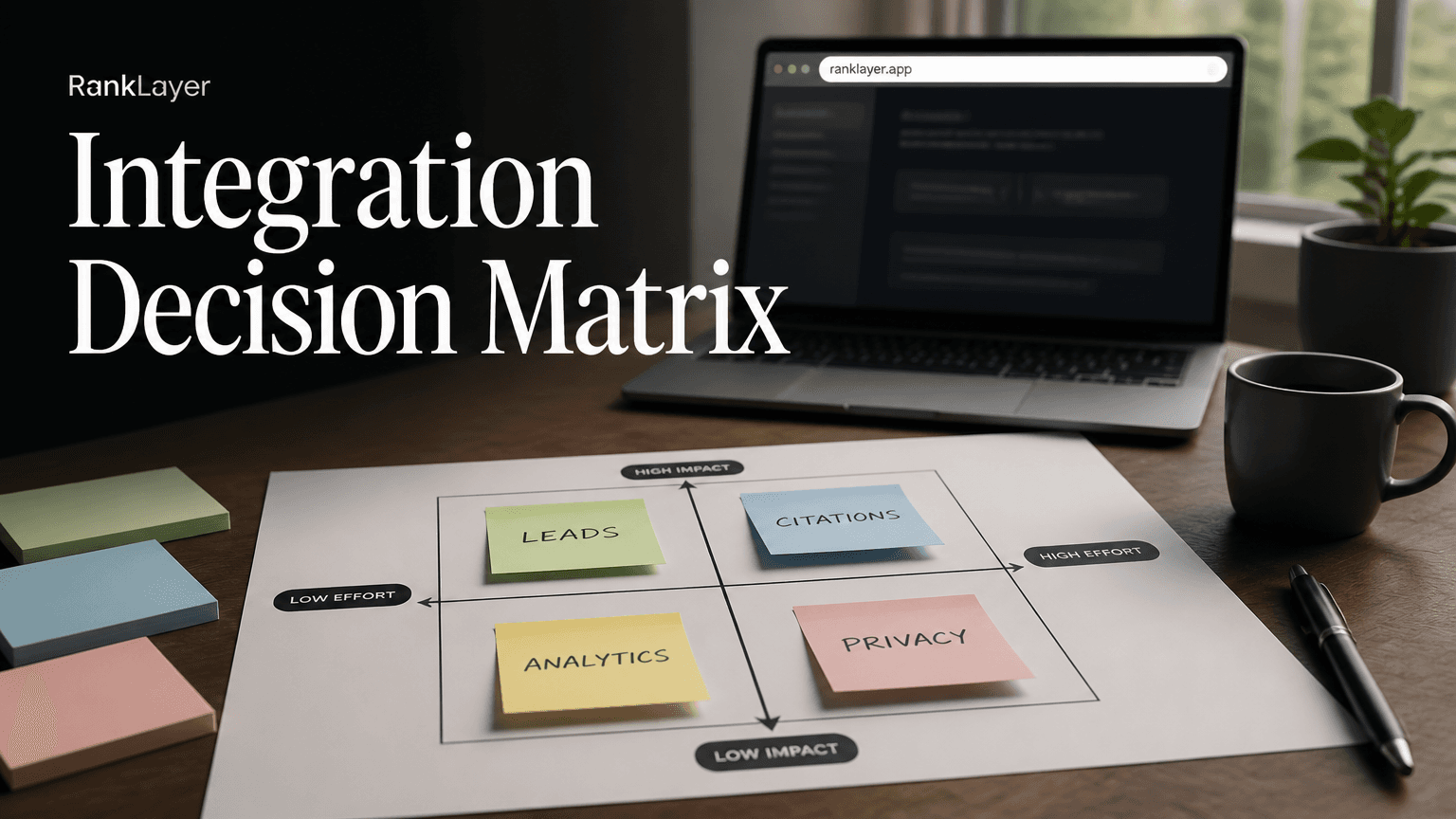
In this article9 sections
- Why an integration decision matrix matters for an automatic AI blog
- The automatic AI blog integration decision matrix
- How to score integrations by business goal, impact, and technical cost
- RankLayer integration maturity map: what to connect at each stage
- Which integration should you connect first for leads, Google traffic, or AI citations?
- Integration priorities by business type
- Privacy rules and integration safety: what to check before connecting
- A practical 30/60/90-day integration rollout
- Common integration mistakes and the final decision rule
Why an integration decision matrix matters for an automatic AI blog
An integration decision matrix helps you choose which connections to activate first for an automatic AI blog. That matters because every connector adds value, but every connector also adds setup time, permissions, data obligations, and another place where something can break. Connecting nine tools on day one can feel productive while leaving you with no clear answer to the question that matters most: which content is creating business results?
The right order depends on your immediate goal. A local clinic may need a custom domain and Google Analytics before anything else, while a SaaS founder may benefit from Google Search Console first because it reveals the exact questions already generating impressions. An online store focused on retargeting may move Facebook Pixel higher on the list, especially when paid campaigns and organic content work together.
For most small businesses, the best starting point is not the most sophisticated stack. It is the smallest stack that creates a useful feedback loop: publish, observe, improve, and capture demand. RankLayer fits this model because it provides an automatic AI blog with hosting included, so you can begin building a discoverable content presence without first assembling WordPress, a separate hosting account, and a technical team.
This guide gives you a RankLayer specific maturity map, a weighted scorecard, practical examples, and a 30/60/90-day rollout. It also answers a common misconception: connecting ChatGPT, Gemini, Perplexity, or Claude directly is not what makes those systems cite your business. They need accessible, useful, clearly structured pages that they can discover and evaluate.
The automatic AI blog integration decision matrix
- ✓Google Search Console earns the highest first month priority for most businesses that want Google visibility or AI discovery. It shows queries, impressions, clicks, average position, and indexing signals, giving you evidence for what to publish next. It is especially useful after the first pages have had time to collect impressions.
- ✓Google Analytics is the strongest connector for understanding what visitors do after they arrive. Use it to measure engaged sessions, important events, form starts, booking clicks, phone link clicks, and other actions that connect content to commercial intent. It complements Search Console because Search Console measures search performance while Analytics measures on-site behavior.
- ✓A custom domain is a trust and brand asset rather than a measurement tool. Prioritize it early when you serve regulated professions, sell higher-priced products, or want customers to remember your business instead of a generic hosted address. If speed matters more than branding, a hosted RankLayer address can be a sensible launch option while you validate demand.
- ✓Zapier has the highest operational leverage once you know what event deserves an action. It can pass a new lead to a spreadsheet, CRM, email workflow, or notification channel, but it should not be your first connector if there is no defined lead event. Automation without a clear destination is just a very efficient way to create digital confetti.
- ✓Facebook Pixel is most valuable when you actively run Meta campaigns or plan to retarget blog visitors. It can help build audiences from content engagement, but it does not explain organic rankings and it should not be treated as a replacement for Search Console or Analytics.
- ✓ChatGPT, Gemini, Perplexity, and Claude should be treated as visibility destinations, not mandatory technical connectors. Your priority is to publish factual, accessible pages that answer real questions, establish your business entity, and provide clear next steps. Testing prompts in these systems can be useful, but paying attention to content quality matters more than adding another login.
How to score integrations by business goal, impact, and technical cost
A useful scorecard separates business impact from implementation effort. Score each integration from 1 to 5 for lead capture, AI citation support, analytics value, ad protection, privacy risk, and technical cost. For the last two categories, a higher number means more risk or effort, so subtract them from the total rather than accidentally rewarding complexity.
Here is a simple formula you can use: priority score equals goal fit multiplied by expected business impact, minus setup cost and data risk. If lead generation is your goal, give lead capture a weight of 40 percent, measurement 25 percent, AI visibility 20 percent, and advertising support 15 percent. If your main goal is to appear in AI answers, increase the AI visibility weight, but keep measurement in the model so citations do not become vanity metrics.
A practical version might look like this:
Google Search Console: lead capture 3, AI visibility 5, measurement 5, ad protection 2, setup cost 1, privacy risk 1.
Google Analytics: lead capture 4, AI visibility 3, measurement 5, ad protection 3, setup cost 2, privacy risk 3.
Custom domain: lead capture 4, AI visibility 4, measurement 2, ad protection 3, setup cost 2, privacy risk 1.
Zapier: lead capture 5, AI visibility 2, measurement 4, ad protection 3, setup cost 3, privacy risk 3.
Facebook Pixel: lead capture 3, AI visibility 1, measurement 3, ad protection 5, setup cost 2, privacy risk 4.
These numbers are starting assumptions, not universal laws. A restaurant spending heavily on Meta ads will score Facebook Pixel higher than a bootstrapped SaaS with no paid social budget. A lawyer or clinic should score privacy risk more heavily and may require consent review before activating marketing analytics.
For technical definitions and setup details, use Google’s official Search Console performance report documentation and Google Analytics event measurement guidance. The goal is not to create a spreadsheet worthy of an investment bank. It is to make the tradeoff visible before you flip a switch.
RankLayer integration maturity map: what to connect at each stage
- 1
Stage 1: Establish a discoverable and measurable presence
Connect the blog publishing environment and decide whether to use a hosted address or your own domain. Then add Google Search Console so you can verify the property, submit the relevant sitemap when available, and monitor impressions, clicks, indexing, and queries. This stage is complete when you can identify the pages published, the search terms receiving visibility, and any obvious indexing issue.
- 2
Stage 2: Measure visitor quality and commercial actions
Add Google Analytics after defining the actions that matter, such as contact form submissions, booking clicks, calls, checkout starts, or free trial registrations. Configure only the events you will actually review. A small business with three meaningful events usually learns more than one with thirty unexamined events.
- 3
Stage 3: Protect brand trust with a custom domain
Connect a custom domain when brand recognition, customer confidence, or offline marketing makes it worthwhile. Check redirects, HTTPS, canonical URLs, and the consistency of your business name, address, phone number, and service descriptions. Do not rush this step if it delays publishing your first useful pages by several weeks.
- 4
Stage 4: Route leads and operational alerts
Connect Zapier after your lead event and destination are tested manually. A simple workflow might send a completed consultation form to a CRM, alert the owner by email, and add a source field such as blog, organic, or campaign. Start with one workflow, test duplicate prevention, and document what happens when a task fails.
- 5
Stage 5: Add paid media protection and remarketing
Activate Facebook Pixel only when you have a clear audience strategy, active campaigns, and a consent process that covers the relevant tracking. Build a small audience first, such as visitors to high intent service pages, rather than retargeting every reader. This makes the integration easier to evaluate and reduces unnecessary data collection.
Which integration should you connect first for leads, Google traffic, or AI citations?
If your fastest goal is lead attribution, start with Google Analytics and the lead capture mechanism itself, then add Zapier to route qualified submissions. Analytics tells you whether people arrived and acted, while Zapier helps ensure a real person follows up. Search Console should still be connected early, but it cannot tell you whether a visitor booked an appointment or requested a quote.
If your goal is Google traffic, start with Search Console. It provides the closest first party view of how Google is showing your pages. After four to eight weeks of publishing, look for queries with many impressions but few clicks, pages ranking around positions 8 to 20, and questions that suggest a stronger page could win. Those patterns are content opportunities, not reasons to publish random articles faster.
If your goal is ChatGPT or Gemini citations, prioritize your domain and Search Console, then improve the pages themselves. AI systems may use different retrieval and ranking processes, so no integration guarantees a citation. What you can control is whether your business information is consistent, your answers are direct, your pages are crawlable, and your content demonstrates genuine experience.
A useful content workflow is to collect customer questions, group them by intent, and publish concise answers alongside deeper explanations. The customer question workbook for ChatGPT, Gemini, and Perplexity citations can help you turn conversations into a structured editorial queue. For SaaS teams, a keyword ROI scorecard for converting and AI citable queries adds a commercial filter.
If your goal is to reduce dependence on paid ads, connect Analytics before Pixel. You need to understand whether organic visitors convert before you decide that paid media can be reduced. Pixel can support remarketing, but it does not prove that the automatic blog is replacing ad-generated demand.
Integration priorities by business type
For a local clinic, the recommended first 30 days are a custom domain if available, Search Console, and Analytics with carefully defined booking and phone events. A clinic should review consent language, avoid sending sensitive health details into analytics systems, and keep educational content separate from individualized medical advice. The business goal is simple: help a nearby prospect find a trustworthy answer, then make booking easy.
For an online store, start with Search Console, Analytics, and the domain that customers already recognize. Track product view, add to cart, checkout start, and purchase events if your setup supports them. Add Facebook Pixel when Meta campaigns are active, but compare its audience value against actual assisted conversions rather than assuming every retargeted sale came from the blog.
For a SaaS company, Search Console usually comes first because it can reveal feature questions, integration searches, and competitor comparison intent. Analytics follows with trial starts, demo requests, and activation events. Zapier becomes more valuable when leads need to enter a CRM or sales notification workflow, while a custom domain is especially useful when the blog supports a broader product and brand ecosystem.
For a restaurant, the priority is often a domain or branded hosted presence, Search Console, and Analytics configured around menu views, reservation clicks, calls, and directions. Facebook Pixel only moves up the list if the restaurant runs local social campaigns. Content about opening hours, dietary options, neighborhood searches, seasonal menus, and last minute availability can serve both traditional searchers and conversational assistants.
For an agency or freelancer, begin with the domain, Search Console, and Analytics, then use Zapier to manage inquiry routing. The agency can turn its service explanations, case studies, and industry questions into a repeatable content system. Before scaling, review the zero setup AI blog launch checklist so the publishing process does not depend on a developer who is already booked for the next three months.
Privacy rules and integration safety: what to check before connecting
- ✓Collect less data than you think you need. For lead attribution, a source, landing page, event name, and timestamp may be enough. Do not send message contents, health details, financial information, or unnecessary identifiers into analytics or automation tools.
- ✓Review consent requirements before activating advertising or nonessential analytics cookies. GDPR and similar privacy laws can apply based on the people you serve, not only where your company is located. The European Commission’s data protection overview is a useful primary reference, but regulated businesses should obtain advice for their situation.
- ✓Use separate permissions wherever possible. The person managing content does not necessarily need access to advertising audiences, customer records, or every automation destination. Smaller permission scopes reduce the impact of a compromised account.
- ✓Document the purpose of each connector in one sentence. If you cannot explain why a tool is connected, it probably should not be connected yet. This also makes vendor reviews and data deletion requests much easier.
- ✓Test failure paths before launch. Submit a test lead, confirm the event appears, check the Zapier task, and verify that the receiving system stores the correct source. Then test what happens when the destination is unavailable, the same form is submitted twice, or a user withdraws consent.
- ✓Do not confuse citation optimization with data sharing. ChatGPT, Gemini, Perplexity, and Claude do not need your customer database to understand your public business content. Publishing accurate, public answers is a safer starting point than feeding private records into an AI workflow.
A practical 30/60/90-day integration rollout
- 1
Days 1 to 30: launch the feedback loop
Choose your publishing address, connect Search Console, and confirm that your key pages are accessible. Define one primary conversion and up to three supporting events in Analytics. Publish a focused set of useful articles or landing pages around real customer questions, then record baseline impressions, clicks, sessions, and leads.
- 2
Days 31 to 60: connect evidence to action
Review Search Console once a week and Analytics at least twice during the month. Identify pages with impressions but weak click through rates, pages with engaged visitors but no conversion action, and queries that deserve a clearer answer. Add Zapier only after you have confirmed the lead event and chosen the person or system responsible for follow-up.
- 3
Days 61 to 90: add brand and advertising layers
If the blog is earning relevant visibility, connect or refine the custom domain and audit the technical basics. Add Facebook Pixel only if remarketing has a defined audience, budget, and consent process. Compare organic assisted leads, direct leads, paid conversions, and response time before deciding whether to shift advertising spend.
- 4
Every 90 days: prune and reprioritize
Recalculate the scorecard using real evidence. Disconnect unused tools, archive broken automations, review access permissions, and update event names that no longer match the business. The best integration stack is not the largest one. It is the one your team can understand and act on.
Common integration mistakes and the final decision rule
The first mistake is connecting Analytics without defining a conversion. Traffic reports can look impressive while the owner still has no idea which articles create calls, bookings, purchases, or trials. Name the action first, then configure the event that measures it.
The second mistake is treating Search Console as a lead tracker. Search Console is excellent for queries, impressions, clicks, and search performance, but it is not a CRM. Pair it with Analytics or a lead system when you need to connect visibility to revenue.
Another common error is adding Facebook Pixel before the business has a remarketing plan. Pixel may collect useful campaign data, but unnecessary tracking increases privacy obligations and creates noisy audiences. If you do not have an active campaign or a clear retargeting audience, place it in the second or third phase.
Many owners also assume that a direct connection to an AI chatbot will produce citations. It will not. AI visibility comes from the broader quality and discoverability of your public web presence, including clear answers, consistent business facts, useful pages, and technical accessibility.
Use this final rule: connect the integration that reduces your biggest uncertainty, not the one with the longest feature list. If you do not know whether anyone finds you, choose Search Console. If you do not know what visitors do, choose Analytics. If leads are being lost after submission, choose Zapier. If trust and brand recall are weak, choose a custom domain. If paid social is active and measurable, choose Facebook Pixel.
RankLayer can simplify the starting point by combining automatic publishing with included hosting, while still allowing you to add measurement, domain, and automation layers as your business earns the need for them. For a broader planning framework, see the guide to choosing the first five integrations for lead generation.
Frequently Asked Questions
Which integration should I connect first to an automatic AI blog?▼
For most businesses, Google Search Console is the best first integration because it shows how Google discovers and displays your pages. Add Google Analytics soon after if you already have a clear conversion action, such as a form submission, booking click, purchase, or trial start. If your immediate problem is lost leads rather than unknown search demand, connect your lead workflow and Zapier first.
Is Google Search Console or Google Analytics better for lead attribution?▼
Google Analytics is better for measuring what visitors do after they arrive, including conversions and engagement events. Search Console is better for understanding the queries, impressions, clicks, and average positions that brought visibility from Google. For reliable attribution, use both where possible, then connect the lead destination through a CRM, spreadsheet, or Zapier workflow.
Do I need to connect ChatGPT, Gemini, Perplexity, or Claude to get cited?▼
No direct connection is required to earn a citation from these systems. They may discover and evaluate public web pages through their own retrieval and ranking processes. Focus on accessible pages that answer specific questions, describe your business accurately, show useful evidence, and make the next action clear. Prompt testing can help you monitor visibility, but it is not a substitute for publishing quality content.
What is the minimum integration setup for a local business in the first 30 days?▼
A sensible minimum is a reliable blog address, Google Search Console, and basic Google Analytics configured around calls, booking clicks, contact forms, or direction requests. Add a custom domain early if trust and local brand recognition are important, but do not let domain setup delay useful publishing. Facebook Pixel and Zapier can wait unless you already run paid social or receive enough leads to justify automated routing.
When should I connect Zapier to my automatic AI blog?▼
Connect Zapier when you have a defined event and a clear destination. For example, a completed consultation form might create a CRM contact, send an owner notification, and add a source label. Test the workflow with duplicate submissions and failed tasks before relying on it. Connecting Zapier before deciding what success looks like usually creates more maintenance than value.
Does a custom domain help an automatic AI blog get cited by AI search engines?▼
A custom domain does not guarantee citations, but it can strengthen brand consistency and make the published presence easier for customers to recognize and trust. Citation decisions depend on many factors, including page usefulness, accessibility, factual clarity, and the authority of the available sources. Use the domain as part of a complete visibility strategy, not as a shortcut.
How do GDPR and privacy rules affect which integrations I connect first?▼
Privacy obligations can affect analytics, advertising pixels, lead routing, and the types of data you send to third parties. Start with the least invasive measurement that answers your business question, define a purpose for every connector, and avoid sending sensitive information into analytics or automation systems. If you serve people in the European Economic Area or operate in a regulated field, review consent, retention, processor agreements, and access controls before launch.
How often should I review my integration decision matrix?▼
Review it weekly during the first month so you can catch broken tracking and unclear events quickly. Recalculate the priorities after 30, 60, and 90 days using actual impressions, engaged sessions, leads, sales, and operational effort. Remove integrations that are unused or producing no decision value. A smaller, well-maintained stack will usually outperform a larger stack nobody checks.
Ready to connect your automatic AI blog in the right order?
Start with RankLayerAbout the Author
Vitor Darela de Oliveira is a software engineer and entrepreneur from Brazil with a strong background in system integration, middleware, and API management. With experience at companies like Farfetch, Xpand IT, WSO2, and Doctoralia (DocPlanner Group), he has worked across the full stack of enterprise software - from identity management and SOA architecture to engineering leadership. Vitor is the creator of RankLayer, a programmatic SEO platform that helps SaaS companies and micro-SaaS founders get discovered on Google and AI search engines