The 7-Day Indexability Experiment for a Hosted Automatic AI Blog
A practical seven-day test for business owners who want useful evidence, not guesswork, and do not have a developer on speed dial.
Explore the no-code blog workflow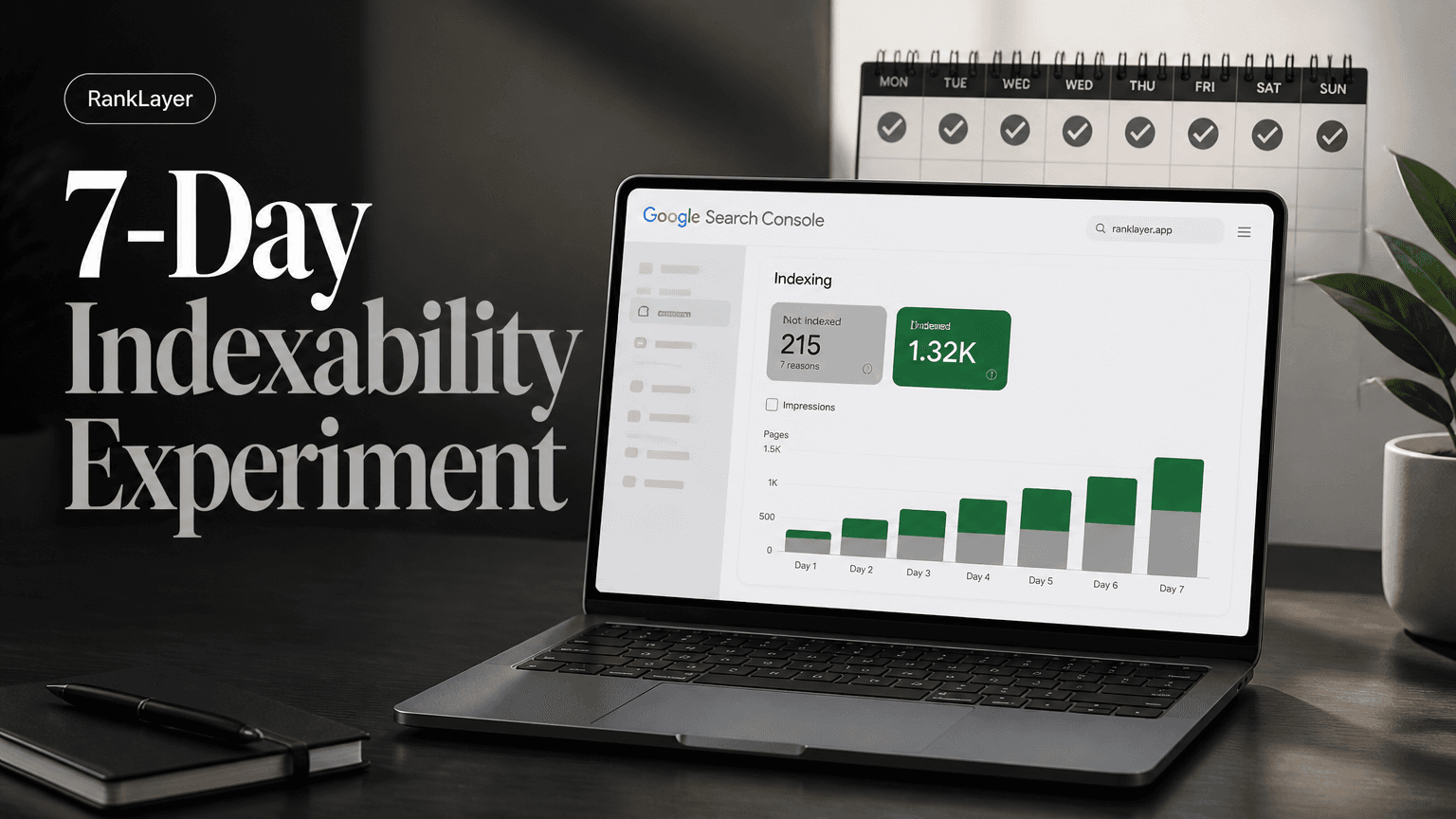
In this article9 sections
- Why run a 7-day indexability experiment?
- Day 0: Prepare your indexability test before publishing
- Day 1: Run the five no-code technical checks
- The no-dev diagnostic script for hosted AI blog pages
- Days 2 to 7: Monitor indexability without overreacting
- How to interpret Google Search Console during the experiment
- Quick fixes, rollback, and what RankLayer changes for no-dev owners
- How to judge the result after seven days
- Common mistakes and the next 30 days
Why run a 7-day indexability experiment?
A 7-day indexability experiment gives you a controlled way to learn whether pages on your hosted automatic AI blog can be discovered, crawled, and indexed by Google. Publishing an article is only the beginning. If Google cannot access the URL, understand its preferred version, or find a reason to keep it in the index, your beautifully written post may be sitting in an internet cupboard collecting digital dust.
Indexability has three separate parts. Discovery means Google finds the URL, usually through links or a sitemap. Crawling means Googlebot requests and processes the page. Indexing means Google decides the page is useful enough to store and potentially show in search results.
These stages can happen at different speeds. A new page may appear in a sitemap today, be crawled tomorrow, and remain unindexed for several more days while Google evaluates its content and signals.
The goal of this experiment is not to force Google to index every URL. That would be a poor objective for a growing blog, especially one publishing frequently. The goal is to verify that a representative group of good pages has a clean technical path from publication to discovery and indexing.
Choose five to ten pages that represent your normal publishing workflow. For example, a local dentist might select an emergency appointment guide, a dental implant cost article, a city-specific service page, and a patient FAQ. An online store could test product education, category advice, and comparison content.
Record the publication time, URL, page type, target query, and current status before you change anything. This creates a baseline and prevents the classic experiment mistake: changing five things at once and later arguing with yourself about what worked.
For a useful primer on finding pages that can attract both searchers and AI-assisted discovery, see this guide to choosing keywords for an automatic AI blog without a website. Indexability comes first, but page usefulness still determines whether visibility turns into traffic or leads.
Day 0: Prepare your indexability test before publishing
- 1
Select a small, representative test set
Pick five to ten newly published URLs from at least two content types. Include one page you consider especially strong, one ordinary article, and one page with a local, product, or comparison intent.
- 2
Connect the correct Search Console property
Use the domain or URL-prefix property that includes the hosted blog location. A common mistake is inspecting the main business domain while the blog lives on a hosted subdomain or platform URL.
- 3
Capture baseline technical details
Save each page URL, publication timestamp, HTTP status, canonical URL, language, and whether it appears in the XML sitemap. A simple Google Sheet is enough.
- 4
Choose one publishing event to track
Record the exact time your platform publishes the test pages. This timestamp lets you compare publication events with sitemap discovery, URL inspection results, impressions, and clicks.
- 5
Avoid changing the template during the baseline
Do not redesign navigation, alter URL patterns, or rewrite every title before the first checks. You need a stable starting point so the test produces an interpretable result.
Day 1: Run the five no-code technical checks
Start with the page a visitor sees, not with an intimidating crawl report. Open each test URL in a private browser window and confirm it loads without a login, cookie wall, broken image, redirect loop, or blank JavaScript shell.
Next, use Google Search Console's URL Inspection tool. Enter one exact URL at a time and note whether Google says the URL is on Google, is available to Google, or has an indexing problem. The inspection result is a diagnostic snapshot, not a promise of ranking.
Submit the sitemap in Search Console under Sitemaps. Use the sitemap URL generated by your hosted platform, then confirm that Google accepted the submission and shows a recent read date. Google's official sitemap documentation explains why sitemaps help discovery but do not guarantee indexing.
Check the page source or visible HTML for a self-referencing canonical. The canonical should normally point to the preferred public URL, use the correct protocol, and avoid a trailing slash mismatch when your platform uses a consistent URL format.
Look for accidental noindex instructions. In Search Console, inspect the page's indexing details, and if your platform offers a metadata panel, confirm that the page is set to index and follow. Also check robots.txt, because a page can have a perfectly written meta description and still be blocked before Google gets a proper look.
Validate the structured data that your template outputs. You do not need to become a JSON-LD engineer, but you should confirm that the markup is valid, matches visible page content, and does not claim a review score, price, author, or date that the page does not actually show. Google's Rich Results Test is useful for detecting syntax and eligibility issues.
Finally, test the internal path to the page. From the blog homepage or a category hub, can a visitor reach the URL in a few clicks? A sitemap is a helpful directory, but internal links provide context and help search engines understand which pages matter.
If your blog contains many generated URLs, use a separate review for orphaned pages and template-level problems. The programmatic SEO page QA checklist is a useful companion when you need to check indexing, canonical, and GEO fields across a larger sample.
The no-dev diagnostic script for hosted AI blog pages
- ✓Copy the following script into your browser address bar after replacing the URL. It does not access your account or submit anything. It simply fetches a public page and reports visible signals that are easy to miss during a quick review: HTTP status, canonical, robots directives, language, hreflang links, JSON-LD blocks, and sitemap references.
- ✓javascript:(async()=>{const u=prompt('Public page URL:');if(!u)return;try{const r=await fetch(u,{redirect:'follow'}),t=await r.text(),d=new DOMParser().parseFromString(t,'text/html'),q=s=>[...d.querySelectorAll(s)].map(e=>e.content||e.href||e.textContent.trim()).filter(Boolean);const out={requested:u,finalUrl:r.url,status:r.status,robots:q('meta[name="robots"]'),canonical:q('link[rel="canonical"]'),language:d.documentElement.lang||'',hreflang:[...d.querySelectorAll('link[rel="alternate"][hreflang]')].map(e=>({lang:e.hreflang,url:e.href})),jsonLd:[...d.querySelectorAll('script[type="application/ld+json"]')].length,sitemaps:[...d.querySelectorAll('link[rel="sitemap"]')].map(e=>e.href)};document.body.innerHTML='<pre style="white-space:pre-wrap;font:14px monospace;padding:20px">'+JSON.stringify(out,null,2).replace(/[&<>]/g,m=>({'&':'&','<':'<','>':'>'}[m]))+'</pre>'}catch(e){alert('Could not fetch this public URL. Open it directly and check the same fields in Search Console.')}})()
- ✓If the browser blocks the script on a hosted page, do not treat that as an SEO failure. Some sites restrict cross-origin browser requests. Open the URL directly, use Search Console URL Inspection, and check the source with your browser's View Source option instead.
- ✓Expected results are simple: a 200 status, a final URL that matches the public URL, one sensible canonical, no noindex directive, the expected language code, and valid JSON-LD blocks. A missing hreflang link is only a problem when you publish equivalent versions in multiple languages.
- ✓Do not paste private customer data, API keys, or unpublished URLs into the script. It is designed for public pages only. For professional or regulated businesses, also review claims, contact information, author details, and disclaimers before allowing automated content to remain live.
Days 2 to 7: Monitor indexability without overreacting
- 1
Day 2, confirm discovery signals
Check that the sitemap was read and that your test URLs appear in the submitted sitemap. Use a site search as a rough observation, but do not treat a missing result as conclusive proof that a page is not indexed.
- 2
Day 3, inspect a fresh URL
Run URL Inspection on one recently published page and one older test page. Compare the crawl date, indexed status, canonical selected by Google, and any referring page information shown in the report.
- 3
Day 4, review Page Indexing
Open the Page Indexing report and watch for increases in Not indexed URLs, especially reasons such as blocked by robots.txt, excluded by noindex, duplicate without a user-selected canonical, or crawled but currently not indexed.
- 4
Day 5, check performance data
In Search results, filter by the blog property and date range. Look for impressions and queries, even when clicks are zero. Early impressions can show that Google understands the topic before the page reaches a useful position.
- 5
Day 6, verify page experience and links
Open the Links report and confirm that test pages receive links from a hub, category, or related article. Check Core Web Vitals only as a supporting signal; a good score cannot compensate for a blocked, duplicate, or thin page.
- 6
Day 7, decide the next action
Classify each page as healthy, needs observation, or needs a fix. Healthy means technically accessible and showing discovery or indexing evidence. Needs observation means the signals are clean but Google has not yet indexed the page, while needs a fix means a clear technical or quality issue exists.
How to interpret Google Search Console during the experiment
The most useful Search Console reports are URL Inspection, Sitemaps, Page Indexing, and Search results. Each answers a different question, so avoid using one report as a substitute for all the others.
URL Inspection answers, "What does Google know about this exact page?" It can reveal whether the page is indexed, when it was last crawled, which canonical Google selected, and whether live testing finds an access problem.
The Sitemaps report answers, "Did Google receive and read my URL list?" A successful sitemap submission does not mean every listed page is indexed. Treat it as a discovery handoff, much like giving a librarian a catalog rather than guaranteeing every book will be displayed.
Page Indexing answers, "What happened across the property?" Watch the number of indexed pages, but focus more on the reasons behind exclusions. A temporary rise in crawled but not indexed pages may be normal after a publishing burst, while a sudden increase in blocked or duplicate URLs usually deserves immediate attention.
Search results answers, "Are these pages beginning to appear in real searches?" Use the Pages and Queries tabs together. Filter by a test URL, record impressions, clicks, average position, and click-through rate, then compare those numbers with the publication date.
Here is a simple monitoring template you can paste into a spreadsheet:
| Date | Publishing event | URLs published | Sitemap read | URL inspected | Indexed status | Canonical status | Impressions | Clicks | Action | |---|---|---:|---|---|---|---|---:|---:|---| | Day 0 | Baseline | 5 | Pending | Not yet | Unknown | Checked manually | 0 | 0 | Record setup | | Day 1 | Test batch live | 5 | Submitted | 2 URLs | Unknown | Checked | 0 | 0 | Fix blockers | | Day 3 | Daily post live | 1 | Read or pending | 1 URL | Mixed | Compare | Record | Record | Observe | | Day 5 | Daily post live | 1 | Read | 1 URL | Mixed | Confirm | Record | Record | Add internal links | | Day 7 | Review | 0 | Confirmed | All sample URLs | Classify | Confirm | Record | Record | Keep, fix, or pause |
A page that is not indexed after seven days is not automatically broken. New domains, competitive topics, weak internal linking, duplicated content, and recent publishing spikes can all extend the timeline. Google's URL Inspection documentation makes clear that inspection and indexing requests do not guarantee inclusion.
For a deeper view of how to turn Search Console data into content decisions, use this guide to finding untapped search intent with Google Search Console and Analytics. The experiment becomes more valuable when it helps you choose better topics, not just count indexed URLs.
Quick fixes, rollback, and what RankLayer changes for no-dev owners
Most no-code indexability fixes fall into a few categories. Remove accidental noindex settings, unblock important paths in robots.txt, repair a wrong canonical, add an internal link from a relevant hub, and submit the correct sitemap. If a page is genuinely redundant or low value, do not force it into Google. Merge it, improve it, or leave it out.
Canonical and hreflang checks deserve special care on multilingual blogs. Each translated page should have a canonical pointing to itself when it is the preferred version, and language alternatives should reference the correct localized URLs. Never use hreflang to disguise near-duplicate pages with little localized value.
Structured data is another quick check, but it is not a magic indexing button. JSON-LD should describe what users can see, and a validation pass should catch malformed syntax before publication. For practical context, review this no-code structured data workflow for hosted AI blogs.
The safest publishing change is reversible. Before editing a template or batch of articles, export the URL list and record the original settings. Change one variable, such as adding related links, then monitor the same sample for several days instead of changing titles, schema, URL paths, and publishing cadence in one heroic afternoon.
A one-click rollback plan should have three parts: pause the automation, restore the previous template or metadata version, and keep existing URLs live unless there is a specific redirect reason. Avoid deleting a group of pages simply because they have not indexed within a week. Deletion creates a second technical event and can make diagnosis harder.
Once the baseline workflow is clear, RankLayer can reduce the amount of manual infrastructure work involved in a hosted AI blog. Its hosted publishing model, sitemap flow, domain options, Search Console and Analytics integrations, and automated article workflow give small businesses a practical place to run this kind of test without maintaining WordPress or a custom server.
The useful question is not whether automation removes every SEO decision. It does not. The useful question is whether your platform makes the important decisions visible, keeps pages technically accessible, and lets you correct mistakes without a developer.
How to judge the result after seven days
- ✓Healthy experiment: the test URLs return 200, are accessible to Google, appear in the sitemap, have correct canonicals, contain no accidental noindex directive, and show at least some discovery or indexing progress.
- ✓Promising but early: technical checks are clean, yet only a few pages are indexed. Keep publishing at a measured pace, strengthen internal links, and review again after 14 to 28 days rather than repeatedly requesting indexing.
- ✓Technical failure: Google reports blocked crawling, noindex, a redirect problem, or a canonical conflict. Pause the experiment, fix the template or settings, then retest a small sample before publishing more pages.
- ✓Quality concern: pages are technically indexable but remain crawled and not indexed, have little original value, or overlap heavily with another URL. Improve usefulness, combine overlapping pages, or reduce the publishing cadence.
- ✓Business success signal: indexed pages begin generating impressions, relevant queries, clicks, calls, bookings, signups, or assisted conversions. Connect Analytics and a lead event before the next experiment so visibility is not your only measurement.
- ✓AI visibility signal: a page is easy to quote because it gives clear answers, names the business accurately, and exposes useful public facts. Indexing is a prerequisite for many discovery paths, but no platform can guarantee that ChatGPT, Gemini, Perplexity, or Claude will cite a particular page.
Common mistakes and the next 30 days
The first mistake is checking Google with a site operator every morning and treating the result as a dashboard. Search operators are useful clues, but Search Console is the better source for URL-level status and crawl information.
Another mistake is requesting indexing for every daily article. Manual requests are intended for individual, important URLs and are subject to limits. A clean sitemap, sensible internal linking, stable rendering, and worthwhile content create a healthier long-term discovery system.
Publishing too many pages too quickly can also muddy the experiment. If you publish 100 URLs, change the template, add a new language, and connect a domain on the same day, you have created a mystery novel with 17 unreliable narrators.
For the next 30 days, keep a steady cadence and review a sample rather than every URL. Compare indexed percentage, median time to first crawl, median time to indexing, impressions per indexed page, and conversions per organic session.
A practical benchmark for a small test is not a universal percentage. It is a directional improvement from your baseline. For example, if two of ten pages were indexed after the first week, then six of ten after the next consistent publishing cycle, the system is showing progress even if rankings are still modest.
Use the 12-minute weekly automatic blog checklist once the seven-day test is complete. It helps turn a one-off investigation into a repeatable operating habit, which is where technical SEO becomes much less stressful.
Frequently Asked Questions
How can I tell if pages on my hosted AI blog are being crawled?▼
Open Google Search Console and use URL Inspection for a specific page. Look for the last crawl date, indexing status, and any access or canonical warnings. The Page Indexing report can show broader patterns, but it may lag behind individual URL observations. A sitemap read confirms discovery of the URL list, not that every page was crawled.
How long does Google take to index a new hosted AI blog page?▼
There is no fixed indexing timeline. A page may be crawled within hours, while a new or lightly linked site may take days or longer. Seven days is useful for detecting obvious technical problems, not for declaring a page permanently excluded. If the page is technically clean, wait 14 to 28 days while improving internal links and monitoring impressions.
Does submitting a sitemap guarantee that my AI blog posts will be indexed?▼
No. A sitemap helps Google discover URLs and understand which pages you consider important, but it is not an indexing guarantee. Google still evaluates accessibility, duplication, quality, canonical signals, and overall usefulness. Use the sitemap report together with URL Inspection and Page Indexing to understand what happened.
What should I do if Search Console says crawled, currently not indexed?▼
First, confirm that the page is genuinely useful, accessible, and different from other pages on your site. Check the canonical, internal links, page content, and whether the URL is part of a large batch of similar articles. Add specific examples, original business information, or clearer answers where needed. Avoid repeatedly requesting indexing before fixing the underlying reason.
Can a non-technical business owner fix indexability problems without a developer?▼
Many common problems can be fixed without code. You can check sitemap submission, page visibility, noindex settings, canonical fields, language versions, internal links, and structured data validation through platform controls and Search Console. More complex issues, such as server errors or custom redirect chains, may require platform support. A hosted system with clear settings and rollback options makes the process much easier.
Should I request indexing for every article published by an automatic AI blog?▼
Usually, no. Manual indexing requests are better reserved for a small number of important URLs after you have confirmed that the page is technically ready. Daily requests do not replace a clean sitemap, internal linking, or useful content. For a high-volume blog, fix the publishing system and monitor representative samples instead.
How do canonical and hreflang errors affect indexability?▼
A wrong canonical can tell Google that another URL is the preferred version, so the page you care about may not be indexed as its own result. Hreflang helps connect equivalent language versions, but it does not make thin translations valuable or override canonical decisions. Check that every language URL is public, correctly localized, and linked to the right alternatives.
Can indexability make my business appear in ChatGPT, Gemini, or Perplexity?▼
Indexability improves the chance that public information about your business can be discovered and evaluated, but it cannot guarantee an AI citation. Clear answers, accurate business details, trustworthy references, and consistent page structure also matter. Treat AI visibility as a separate observation in your experiment, and track citations alongside Google impressions, clicks, and leads.
Ready to test your blog without wrestling with servers?
Explore RankLayerAbout the Author
Vitor Darela de Oliveira is a software engineer and entrepreneur from Brazil with a strong background in system integration, middleware, and API management. With experience at companies like Farfetch, Xpand IT, WSO2, and Doctoralia (DocPlanner Group), he has worked across the full stack of enterprise software - from identity management and SOA architecture to engineering leadership. Vitor is the creator of RankLayer, a programmatic SEO platform that helps SaaS companies and micro-SaaS founders get discovered on Google and AI search engines