10 Paste-Ready AI-Citable Templates for Local Businesses
Use these 10 practical templates to create pages that are easier for customers, Google, and AI answer engines to understand.
Get the no-code publishing checklist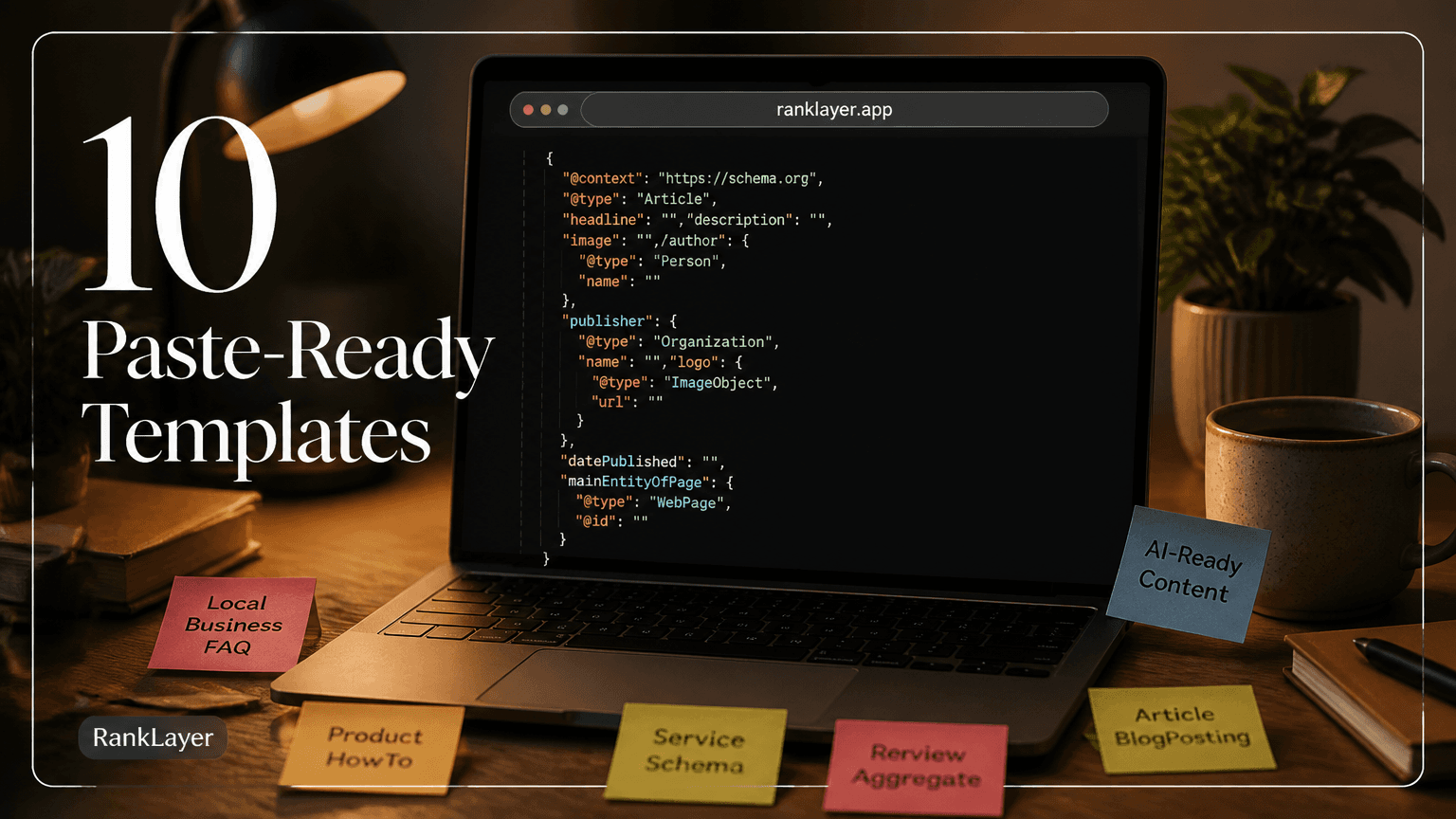
In this article8 sections
- Why AI-citable templates matter for local businesses
- The anatomy of an AI-citable local page
- How to reuse a template across locations without duplicate content
- 10 paste-ready AI-citable templates with JSON-LD
- 1. Service plus city template
- 2. Near me service template
- 3. Local pricing guide template
- 4. Local FAQ answer template
- 5. Local comparison template
- 6. Local event or seasonal offer template
- 7. Delivery or service-area template
- 8. Trust and credentials template
- 9. Product availability template
- 10. Service outcome and next-step template
- How to add JSON-LD and microcopy without a developer
- How RankLayer fits this no-code template workflow
- Mistakes to avoid before publishing local templates
- A practical 14-day plan to publish your first AI-citable pages
Why AI-citable templates matter for local businesses
AI-citable templates for local businesses solve a very ordinary problem: your best information is often scattered across a Google Business Profile, social posts, review replies, menus, and messages. When someone asks an answer engine for a nearby service, the business with the clearest, most specific public information has a better chance of being understood and considered.
A useful page does not need clever robot language. It needs a direct answer, accurate business details, a clear service description, and enough local context to distinguish one business from another. For example, “We provide same-day emergency plumbing in Austin, Monday through Saturday, with upfront estimates” is far more useful than “Your trusted local solution.”
The practical target is not a guaranteed citation. No business can promise that ChatGPT, Gemini, Perplexity, or Google will quote a particular page. The goal is to make your information easy to crawl, interpret, verify, and reuse when a relevant question is asked.
For a strong foundation, review how AI answer engines choose sources only if that page exists on your own site, but use the more reliable workflow described in this cluster: publish useful public content, keep facts consistent, and connect related pages with descriptive internal links. A page template is a starting point, not a substitute for real expertise.
Google recommends using structured data to help its systems understand page content, while also making clear that structured data does not guarantee a special search result. The Google structured data introduction is a useful reference before you publish your first schema block.
The anatomy of an AI-citable local page
- ✓Answer first: Put a 30 to 60 word lead directly below the heading. State what you offer, where you offer it, and who it helps.
- ✓One intent per page: A page about emergency dental appointments should not also target every cosmetic dentistry query in the city. Narrow pages are easier to understand and easier to measure.
- ✓Local proof: Add the city, neighborhood, service area, opening hours, response time, price range, qualifications, or delivery boundary that genuinely applies.
- ✓Microcopy near decisions: Buttons, booking notes, service limits, and reassurance lines should remove friction without making unsupported promises.
- ✓Visible facts plus JSON-LD: Structured data should describe information that users can see on the page. Hidden or contradictory schema can damage trust and create maintenance problems.
- ✓Freshness controls: Add a last-reviewed date to prices, schedules, availability, menus, and seasonal offers. A stale answer is worse than no answer.
- ✓A human next step: Offer a call, booking request, quote form, directions, or product link. AI visibility is useful only when the visitor can easily continue.
How to reuse a template across locations without duplicate content
A reusable template is not the same as a page where only the city name changes. If ten pages have identical paragraphs, identical testimonials, and identical claims, they provide little additional value. Search engines and readers both notice when a location page feels like a mail merge wearing a fake mustache.
Keep the framework consistent, but change the evidence and usefulness. A dentist can include the nearest landmark, parking guidance, appointment types available at that clinic, local insurance information, and a real example of a common patient question. A restaurant can mention delivery boundaries, neighborhood pickup timing, and its actual menu categories.
Use a location token such as {{city}}, but pair it with location-specific fields such as {{neighborhood}}, {{service_area}}, {{landmark}}, {{hours}}, and {{local_offer}}. If a location does not have a genuine local detail, do not create a page for it yet.
A simple quality rule is to require at least three meaningful local facts and one original customer-facing answer before publishing. You can also set a minimum unique-content threshold, such as 40 percent of the visible copy, but editorial usefulness matters more than an arbitrary percentage.
For planning, map each page to a different customer question. The 90-day programmatic content planner for small businesses without a website can help organize topics, while the keyword ROI scorecard helps you avoid creating 100 pages for searches that never lead to a customer.
Before publishing, check the business name, address, phone number, hours, service area, and canonical URL. Google’s LocalBusiness structured data documentation explains which business properties can support local understanding, but it does not excuse inaccurate information.
10 paste-ready AI-citable templates with JSON-LD
The templates below are designed for a hosted blog or landing page editor. Replace every token in double braces, remove fields that do not apply, and verify that each claim appears visibly on the page. The lead paragraphs are intentionally short because answer engines often need a clean passage that can stand on its own.
1. Service plus city template
Best for: plumbers, dentists, accountants, repair shops, agencies, and other service businesses.
30 to 60 word lead: “{{business_name}} provides {{service}} in {{city}}, helping {{customer_type}} with {{specific_problem}}. We serve {{neighborhoods_or_area}} and are available {{hours_or_response_time}}. Customers can {{primary_action}} by {{booking_method}}.”
Microcopy variations:
- “Serving {{city}} and nearby {{service_area}} with {{service}}.”
- “Need {{service}} in {{city}}? Request an appointment in {{response_time}}.”
JSON-LD:
{
 "@context": "https://schema.org",
 "@type": "LocalBusiness",
 "name": "{{business_name}}",
 "url": "{{page_url}}",
 "telephone": "{{phone}}",
 "address": {
 "@type": "PostalAddress",
 "streetAddress": "{{street_address}}",
 "addressLocality": "{{city}}",
 "addressRegion": "{{state}}",
 "postalCode": "{{postal_code}}",
 "addressCountry": "US"
 },
 "areaServed": "{{service_area}}",
 "makesOffer": {
 "@type": "Offer",
 "itemOffered": {
 "@type": "Service",
 "name": "{{service}}"
 }
 }
}
2. Near me service template
Best for: urgent or convenience-led searches such as “same-day locksmith near me.”
30 to 60 word lead: “If you need {{service}} near {{city_or_neighborhood}}, {{business_name}} can help with {{specific_need}}. Our team serves {{area}} during {{hours}} and typically responds within {{response_time}}. Call {{phone}} or {{booking_link_text}} to confirm availability before traveling.”
Microcopy variations:
- “Located near {{landmark}}, with service available in {{area}}.”
- “Call first to confirm {{same_day_availability}}.”
JSON-LD:
{
 "@context": "https://schema.org",
 "@type": "LocalBusiness",
 "name": "{{business_name}}",
 "url": "{{page_url}}",
 "telephone": "{{phone}}",
 "address": {
 "@type": "PostalAddress",
 "addressLocality": "{{city}}",
 "addressRegion": "{{state}}",
 "postalCode": "{{postal_code}}",
 "addressCountry": "US"
 },
 "geo": {
 "@type": "GeoCoordinates",
 "latitude": "{{latitude}}",
 "longitude": "{{longitude}}"
 },
 "areaServed": "{{neighborhood_or_radius}}"
}
3. Local pricing guide template
Best for: transparent service pricing, consultations, classes, and local products.
30 to 60 word lead: “The typical price for {{service_or_product}} in {{city}} is {{price_range}}, depending on {{main_price_factors}}. At {{business_name}}, {{starting_price_or_package}} includes {{inclusions}}. Contact us for a current quote because availability, materials, and project scope can change the final price.”
Microcopy variations:
- “Starting at {{starting_price}}, with the final price confirmed before work begins.”
- “No surprise add-ons for the items listed in your written quote.”
JSON-LD:
{
 "@context": "https://schema.org",
 "@type": "Service",
 "name": "{{service_or_product}} in {{city}}",
 "provider": {
 "@type": "LocalBusiness",
 "name": "{{business_name}}",
 "telephone": "{{phone}}"
 },
 "areaServed": "{{city}}",
 "offers": {
 "@type": "Offer",
 "priceCurrency": "USD",
 "price": "{{starting_price}}",
 "url": "{{page_url}}",
 "availability": "https://schema.org/InStock"
 }
}
4. Local FAQ answer template
Best for: one high-intent question from calls, reviews, Google Business Profile Q&A, or customer chats.
30 to 60 word lead: “{{direct_answer_to_question}}. At {{business_name}}, customers in {{city_or_area}} can {{next_step}} during {{hours}}. The exact recommendation may depend on {{important_condition}}, so bring or provide {{required_information}} before we confirm the service.”
Microcopy variations:
- “Short answer: {{one_sentence_answer}}.”
- “What to have ready: {{document_item_or_detail}}.”
JSON-LD:
{
 "@context": "https://schema.org",
 "@type": "FAQPage",
 "mainEntity": {
 "@type": "Question",
 "name": "{{customer_question}}",
 "acceptedAnswer": {
 "@type": "Answer",
 "text": "{{direct_answer_to_question}} At {{business_name}} in {{city}}, {{next_step}}."
 }
 }
}
5. Local comparison template
Best for: comparing service packages, appointment types, product sizes, or delivery options you actually provide.
30 to 60 word lead: “For {{customer_goal}} in {{city}}, choose {{option_a}} when you need {{best_use_case_a}}, and choose {{option_b}} when you need {{best_use_case_b}}. {{business_name}} offers both options, with differences in {{price_time_or_scope}}. We can help you select the right fit before you book.”
Microcopy variations:
- “Best for {{use_case_a}}: {{option_a}}.”
- “Not sure which option fits? Tell us {{qualifying_question}}.”
JSON-LD:
{
 "@context": "https://schema.org",
 "@type": "ItemList",
 "name": "{{option_a}} and {{option_b}} in {{city}}",
 "itemListElement": [
 {
 "@type": "ListItem",
 "position": 1,
 "name": "{{option_a}}",
 "url": "{{option_a_url}}"
 },
 {
 "@type": "ListItem",
 "position": 2,
 "name": "{{option_b}}",
 "url": "{{option_b_url}}"
 }
 ]
}
6. Local event or seasonal offer template
Best for: workshops, holiday menus, school-year services, seasonal maintenance, and time-limited offers.
30 to 60 word lead: “{{business_name}} is offering {{event_or_offer}} in {{city}} from {{start_date}} through {{end_date}}. It includes {{main_inclusion}} and is designed for {{audience}}. Availability is limited to {{capacity_or_schedule}}, so customers should {{booking_action}} before {{deadline}}.”
Microcopy variations:
- “Available through {{end_date}} while {{capacity_or_inventory}} lasts.”
- “Reserve your place by {{deadline}}.”
JSON-LD:
{
 "@context": "https://schema.org",
 "@type": "Event",
 "name": "{{event_or_offer}}",
 "description": "{{event_description}}",
 "startDate": "{{start_date_iso}}",
 "endDate": "{{end_date_iso}}",
 "eventStatus": "https://schema.org/EventScheduled",
 "eventAttendanceMode": "https://schema.org/OfflineEventAttendanceMode",
 "location": {
 "@type": "Place",
 "name": "{{business_name}}",
 "address": {
 "@type": "PostalAddress",
 "addressLocality": "{{city}}",
 "addressRegion": "{{state}}",
 "addressCountry": "US"
 }
 },
 "organizer": {
 "@type": "LocalBusiness",
 "name": "{{business_name}}",
 "url": "{{business_url}}"
 }
}
7. Delivery or service-area template
Best for: restaurants, florists, mobile professionals, home services, and local online shops.
30 to 60 word lead: “{{business_name}} delivers {{product_or_service}} to {{delivery_area}} from {{origin_location}}. Orders placed by {{cutoff_time}} are usually available {{delivery_window}}, subject to capacity and weather. Delivery costs {{delivery_price_rule}}, and customers can check eligibility by entering {{address_or_zip_code}}.”
Microcopy variations:
- “Check delivery availability for your ZIP code.”
- “Delivery time depends on order volume and distance.”
JSON-LD:
{
 "@context": "https://schema.org",
 "@type": "FoodEstablishment",
 "name": "{{business_name}}",
 "url": "{{page_url}}",
 "telephone": "{{phone}}",
 "address": {
 "@type": "PostalAddress",
 "addressLocality": "{{city}}",
 "addressRegion": "{{state}}",
 "postalCode": "{{postal_code}}",
 "addressCountry": "US"
 },
 "hasDeliveryMethod": "https://schema.org/DeliveryModeOwnFleet",
 "areaServed": "{{delivery_area}}"
}
8. Trust and credentials template
Best for: clinics, lawyers, accountants, contractors, trainers, and other expertise-led businesses.
30 to 60 word lead: “{{business_name}} helps {{customer_type}} in {{city}} with {{service}}. Our work is led by {{credential_or_experience}}, and we follow {{process_or_standard}}. We explain the available options, expected timeline, and next steps before beginning. This page provides general information, not individualized professional advice.”
Microcopy variations:
- “Ask about {{credential_or_specialty}} before booking.”
- “We explain scope, timeline, and fees before work starts.”
JSON-LD:
{
 "@context": "https://schema.org",
 "@type": "ProfessionalService",
 "name": "{{business_name}}",
 "url": "{{page_url}}",
 "telephone": "{{phone}}",
 "description": "{{visible_business_description}}",
 "areaServed": "{{city}}",
 "employee": {
 "@type": "Person",
 "name": "{{professional_name}}",
 "jobTitle": "{{job_title}}"
 }
}
9. Product availability template
Best for: local retailers, e-commerce stores with pickup, specialty shops, and makers.
30 to 60 word lead: “{{product_name}} is available from {{business_name}} for customers in {{city}} and {{service_area}}. The current price is {{price}}, and customers can choose {{pickup_delivery_or_shipping_option}}. Stock changes during the day, so confirm availability before traveling or placing a time-sensitive order.”
Microcopy variations:
- “Last checked: {{date_and_time}}.”
- “Reserve online for pickup at {{location}}.”
JSON-LD:
{
 "@context": "https://schema.org",
 "@type": "Product",
 "name": "{{product_name}}",
 "description": "{{product_description}}",
 "brand": {
 "@type": "Brand",
 "name": "{{brand_name}}"
 },
 "offers": {
 "@type": "Offer",
 "url": "{{page_url}}",
 "priceCurrency": "USD",
 "price": "{{price}}",
 "availability": "https://schema.org/{{availability_value}}",
 "seller": {
 "@type": "LocalBusiness",
 "name": "{{business_name}}"
 }
 }
}
10. Service outcome and next-step template
Best for: businesses where customers need confidence before contacting you.
30 to 60 word lead: “After {{service_or_process}}, customers in {{city}} can expect {{realistic_outcome}} within {{typical_timeline}}. {{business_name}} is a good fit for {{ideal_customer}}, especially when {{qualifying_condition}} applies. Results vary by {{known_variable}}, and we explain the scope, cost, and follow-up steps before you commit.”
Microcopy variations:
- “A good fit if {{qualifying_condition}}.”
- “Your next step: send {{required_detail}} for a clear recommendation.”
JSON-LD:
{
 "@context": "https://schema.org",
 "@type": "Service",
 "name": "{{service_name}}",
 "description": "{{visible_service_description}}",
 "provider": {
 "@type": "LocalBusiness",
 "name": "{{business_name}}",
 "url": "{{business_url}}",
 "telephone": "{{phone}}"
 },
 "areaServed": {
 "@type": "City",
 "name": "{{city}}"
 }
}
These snippets use common Schema.org types, but the correct type depends on what the page genuinely represents. You can verify vocabulary and properties in the Schema.org documentation, then test the finished page with Google’s Rich Results Test. Do not add Review, FAQ, Event, or Product markup just because it looks impressive. Mark up only content that is visible, accurate, and relevant.
How to add JSON-LD and microcopy without a developer
- 1
Choose one customer question
Start with a query such as “Do you offer same-day appliance repair in Phoenix?” or “How much does a first consultation cost in Denver?” One question gives the page a clear job.
- 2
Fill the local tokens
Replace every token with verified information. Use the real city, neighborhood, hours, phone number, service boundary, price, and booking method. If a field does not apply, remove it instead of guessing.
- 3
Write the visible page first
Place the lead under the H1, then add details, qualifications, limitations, a local proof point, and the next step. The JSON-LD should describe this page, not introduce facts that visitors cannot see.
- 4
Add two microcopy variants
Test one practical version and one reassurance-led version. For example, compare “Check availability in your ZIP code” with “We confirm delivery time before payment.” Keep the offer and facts constant.
- 5
Paste the schema into the structured-data field
A hosted editor or no-code structured-data generator should place the JSON-LD in the page head automatically. You should not need to edit theme files or install WordPress plugins.
- 6
Validate and publish
Check for invalid JSON, mismatched prices, incorrect dates, and unsupported claims. Submit the URL through your normal indexing workflow, then monitor impressions, calls, form submissions, and customer quality for at least 30 days.
How RankLayer fits this no-code template workflow
Once you have a reliable template, the hard part is usually repetition. A local owner may know the answers to 50 customer questions, but not have the time to turn them into 50 clean pages, add metadata, connect analytics, and keep publishing. That is where a hosted AI blog can remove operational friction without requiring a WordPress site or a developer.
RankLayer is built around this type of workflow. You can use its hosted editor to create and publish structured articles, connect a custom domain, and support integrations such as Google Search Console, Google Analytics, Facebook Pixel, and Zapier. The practical benefit is not “AI magic.” It is having one place to turn verified business information into consistent, searchable pages.
A sensible first test is small: publish five pages using five different intents, such as a service page, a pricing guide, a local FAQ, a delivery page, and a seasonal offer. Track which pages earn impressions, qualified visits, calls, bookings, or quote requests before expanding the template set.
For setup, the zero-setup AI blog launch checklist covers the operational basics. If your business has no website, a hosted subdomain can still provide a public content destination, but make sure the business identity, contact details, and conversion path are obvious.
Mistakes to avoid before publishing local templates
- ✓Do not promise guaranteed AI citations. Treat citations as an outcome to measure, not a result you can purchase with a schema block.
- ✓Do not use fake local details. A made-up neighborhood, inaccurate opening hour, or invented service area can create customer frustration and conflicting online signals.
- ✓Do not copy one city page into 30 URLs. Add real local utility, or consolidate the information into one stronger regional page.
- ✓Do not hide important conditions in JSON-LD. Customers should see booking restrictions, price ranges, service limits, and availability on the page itself.
- ✓Do not use aggregate ratings without a legitimate review source and the required visible context. Structured data is not a shortcut to star ratings.
- ✓Do not publish regulated advice without review. Lawyers, clinicians, accountants, and financial professionals should add appropriate disclaimers and human checks.
- ✓Do not measure only rankings. Track impressions, engaged visits, calls, bookings, quote requests, assisted conversions, and whether leads are actually in your service area.
- ✓Do not change several variables at once. Test the lead, CTA, or page structure separately so you learn what helped.
A practical 14-day plan to publish your first AI-citable pages
- 1
Days 1 and 2: Collect real questions
Review recent calls, emails, chat messages, reviews, and Google Business Profile questions. Select ten questions with clear commercial or visit intent.
- 2
Days 3 and 4: Group the questions
Assign each question to one of the ten templates. Remove duplicates and combine questions that have the same answer, especially across nearby neighborhoods.
- 3
Days 5 and 6: Gather proof
Collect the details that make each page genuinely local: service boundaries, parking instructions, appointment windows, inventory rules, certifications, prices, and recent customer questions.
- 4
Days 7 and 8: Write the leads and microcopy
Create one direct lead and two microcopy variations for every page. Read each lead aloud. If a customer would still ask “where, when, or how much?” revise it.
- 5
Days 9 and 10: Add and validate JSON-LD
Choose the narrowest accurate schema type, add only visible facts, and test every page. Keep a spreadsheet with the URL, schema type, last review date, and owner of the business information.
- 6
Days 11 and 12: Publish and connect
Publish the pages, link them from a useful local hub, connect Search Console and analytics, and add a clear call or booking path. Avoid launching pages that have no internal route or customer action.
- 7
Days 13 and 14: Establish a review loop
Check indexing, impressions, errors, and lead quality. Keep pages that attract useful demand, improve pages with impressions but weak engagement, and merge pages that overlap heavily.
Frequently Asked Questions
What makes a local business page more likely to be quoted by ChatGPT or Gemini?▼
A clear, direct answer is a strong starting point. State what the business offers, where it operates, who it serves, and any important condition in plain language near the top of the page. Accurate business details, useful local evidence, consistent publishing, and crawlable public content also matter, but no template can guarantee a citation.
How do I add JSON-LD to a hosted AI blog without a developer?▼
Use a hosted editor with a structured-data field or no-code schema generator. Paste a valid JSON-LD block, replace the location and business tokens, and confirm that every marked-up fact appears visibly on the page. Then test the URL with Google’s Rich Results Test and correct any syntax or eligibility warnings before publishing.
Which landing page blocks should contain short answer-ready sentences?▼
Place a concise answer directly below the H1, then add short statements in the service summary, pricing or availability block, local service-area section, FAQ, and next-step section. Each block should answer one practical question instead of repeating the same slogan. Short sentences are especially useful for hours, location, eligibility, response time, price range, and booking instructions.
Can I reuse the same local template across multiple cities?▼
Yes, but the pages need meaningful local differences and a distinct customer purpose. Add genuine details such as neighborhoods served, local access instructions, location-specific hours, inventory, regulations, or customer questions. If you only change the city name, publish one stronger regional page instead of creating thin duplicates.
Does JSON-LD guarantee rich results or AI citations?▼
No. Structured data helps systems interpret eligible content, but Google and AI answer engines decide independently whether to display or cite a source. The visible page still needs accurate, helpful information, a clear business identity, and a good technical foundation. Think of JSON-LD as a labeled map, not a VIP pass.
How long should an AI-citable local business lead be?▼
A useful lead is usually 30 to 60 words, although the best length depends on the question. It should answer what you offer, where you offer it, who it helps, and what the reader should do next. Keep important limits or conditions in the lead when leaving them out could mislead a customer.
What should a small business measure after publishing these templates?▼
Measure more than rankings. Track indexed pages, impressions, clicks, engaged visits, calls, form submissions, bookings, directions requests, and whether leads match your service area. If you can, tag calls and forms by page so you can compare a pricing guide with a local FAQ or seasonal page.
Can RankLayer publish these templates if I do not have a website?▼
RankLayer provides a hosted AI blog, so a business can publish public content without building and maintaining a separate WordPress installation. You can use a hosted address or connect a custom domain, then add analytics and Search Console integrations as needed. The important step is to make the business name, contact method, location, and customer action easy to find.
Start with five useful pages, not fifty empty ones
Get the no-code publishing checklistAbout the Author
Vitor Darela de Oliveira is a software engineer and entrepreneur from Brazil with a strong background in system integration, middleware, and API management. With experience at companies like Farfetch, Xpand IT, WSO2, and Doctoralia (DocPlanner Group), he has worked across the full stack of enterprise software - from identity management and SOA architecture to engineering leadership. Vitor is the creator of RankLayer, a programmatic SEO platform that helps SaaS companies and micro-SaaS founders get discovered on Google and AI search engines