How to Find Comparison-Intent Keywords in Google Search Console and Turn Them into AI-Citable Micro-Comparison Pages
Use real queries from Google Search Console to discover comparison intent, choose the right page format, and publish concise pages that help both buyers and AI answer engines.
Get the practical workflow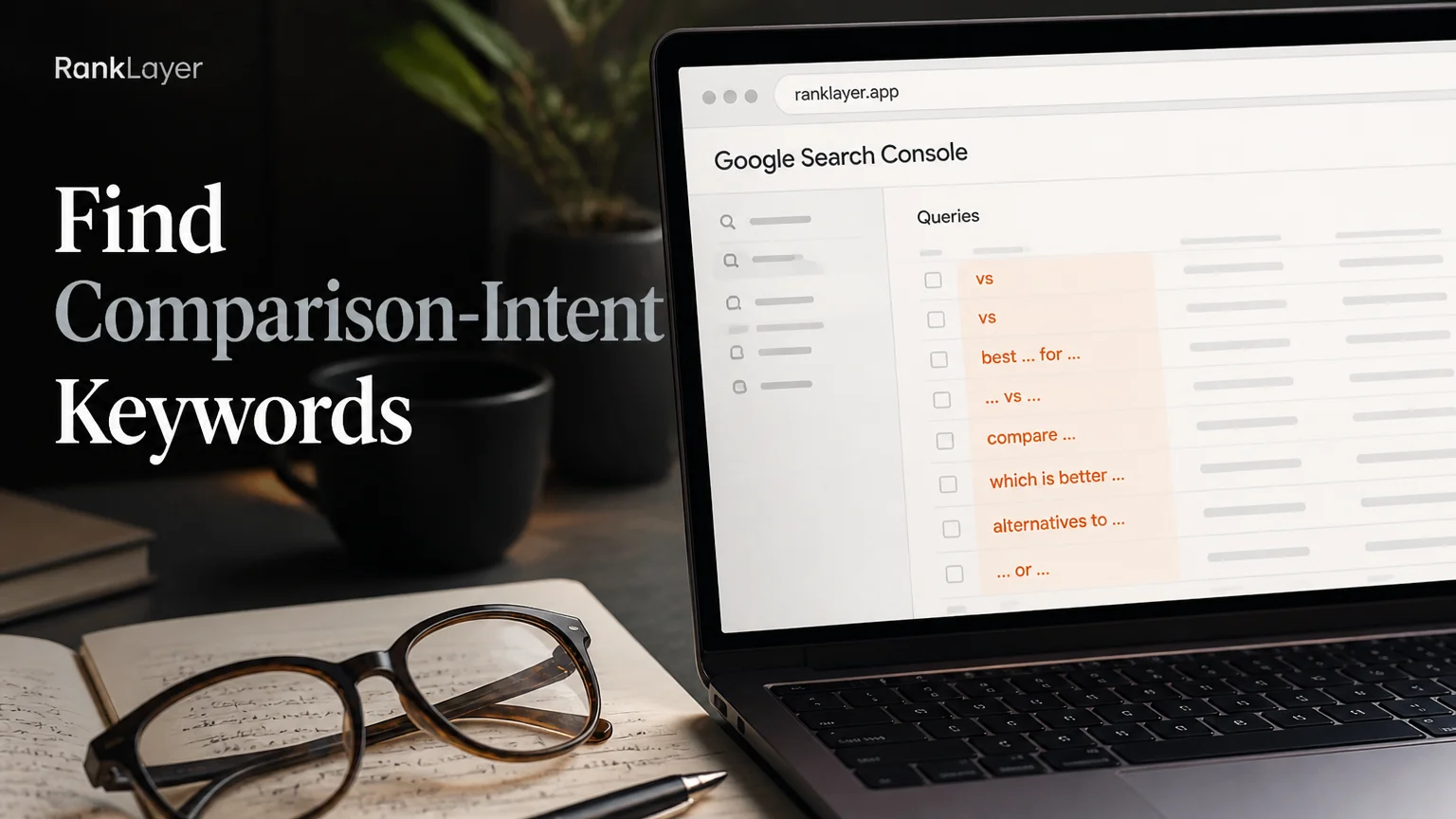
In this article9 sections
- What is comparison intent, and why does it matter?
- How to recognize comparison-intent keywords in Search Console
- How to filter Google Search Console for comparison keywords
- How to interpret GSC data without chasing vanity keywords
- What structure makes a micro-comparison page useful and citable?
- How to prioritize comparison queries for your first pages
- How to turn GSC queries into pages with RankLayer
- A seven-day sprint for publishing your first AI-citable micro-comparisons
- Common mistakes when converting GSC queries into comparison pages
What is comparison intent, and why does it matter?
Comparison-intent keywords are searches where someone is weighing two or more choices. They might search for “Shopify vs WooCommerce,” “best dentist near downtown,” “Mailchimp alternative for small business,” or “which accounting software is better for freelancers.” The wording changes by industry, but the underlying question is the same: which option fits my situation?
Comparison intent usually appears after a person understands the problem and before they make a shortlist. That makes it more commercially useful than a broad educational query such as “what is email marketing,” but less final than a direct search such as “buy email marketing software.” Think of it as the research aisle in a store. The customer has entered the shop, picked up two products, and is reading the labels.
The opportunity is especially valuable for small businesses because comparison searches are often specific. A query such as “best booking software for a two-person salon” tells you the category, the audience, and the decision criteria in one sentence. A well-made page can answer that question without needing a huge domain or an expensive content team.
Google Search Console is a practical place to find these opportunities because it shows the language real people already use to find your site. You are not guessing from a keyword list. You are looking at impressions, clicks, click-through rate, and average position for your own audience. The official Search Console Performance report explains how these dimensions work and how to filter them.
There is also a useful second benefit. Queries that already produce impressions often represent “near misses.” Your page may appear on page two, rank for a slightly different phrase, or answer the category but not the comparison. Those are often safer first targets than completely new topics because Google already has evidence that your site belongs somewhere in the conversation.
How to recognize comparison-intent keywords in Search Console
Comparison intent is not limited to the word “versus.” Searchers use several patterns, and your job is to group them by the decision they express. The clearest signals include “vs,” “versus,” “compare,” “comparison,” “difference between,” “better than,” “alternative to,” “best for,” “which should I choose,” and “is X worth it.”
Some terms need context. “Best” can signal comparison intent when it includes a category, audience, location, or use case, such as “best CRM for a small real estate team.” “Or” can be useful in phrases such as “Squarespace or Wix,” but a broad regex search for the word “or” will create a small mountain of irrelevant queries. Filtering too loosely is how a tidy SEO task becomes spreadsheet archaeology.
Look for comparison intent in four common shapes:
-
Direct product comparison: “Product A vs Product B.”
-
Alternative search: “alternative to Product A” or “Product A alternatives.”
-
Category shortlist: “best invoicing app for freelancers.”
-
Attribute decision: “cheapest scheduling software,” “SEO tool with WordPress integration,” or “automatic blog without a website.”
A single keyword may fit more than one group. “Best Shopify SEO app for small stores” is both a category shortlist and an audience-specific comparison. That is fine. Intent labels are working notes, not permanent scientific classifications.
For AI-citable content, question wording is particularly useful. Queries that contain “which,” “what is the difference,” “should I choose,” or “is it worth it” can become clear headings and short answer blocks. This aligns the page with the way people ask questions in ChatGPT, Gemini, and Perplexity, without writing awkward copy for machines.
How to filter Google Search Console for comparison keywords
- 1
Open the Performance report
Choose Search results in Google Search Console and set the date range to the last 3 months. Then compare it with the previous period or review the last 6 to 16 months when your site has enough history. Turn on clicks, impressions, average CTR, and average position so you can judge opportunity instead of looking at impressions alone.
- 2
Filter the Queries dimension
Add a Query filter and choose Custom, or Regex. Start with a focused pattern such as
(vs|versus|compare|comparison|alternative|better than|difference between|which is better). Review the results manually because regex finds words, not meaning, and a few queries will always need to be removed. - 3
Run separate filters for cleaner groups
Do not force every intent into one giant filter. Run one filter for direct comparisons, one for alternatives, one for “best” and “which” language, and one for pricing or feature decisions. Separate exports make it easier to create page templates later.
- 4
Add a brand or competitor filter
If you sell software, filter queries containing your brand, a competitor name, or both. For example, a query containing
RankLayerandvsreveals branded comparison demand, while a competitor name plusalternativemay reveal switching intent. Use names only when the comparison is factual, fair, and legally safe for your market. - 5
Inspect the Pages dimension
Click a promising query, then switch to Pages to see which URL received impressions. If a general blog post is ranking for a highly specific comparison query, you may have a strong case for a dedicated page. If several URLs share the same query, check for cannibalization before publishing another one.
- 6
Export and label the opportunities
Export the query data to Google Sheets or a CSV file. Add columns for intent type, products mentioned, audience, location, business value, current URL, average position, and recommended page format. A simple label such as Direct comparison, Alternative, Best for, or Feature decision turns raw data into a publishing queue.
How to interpret GSC data without chasing vanity keywords
A comparison keyword does not need thousands of impressions to be useful. A query with 40 impressions, a 7% CTR, and an average position of 11 may be more promising than a broad query with 8,000 impressions and no clicks. The first query shows a specific need and a realistic path to page-one visibility.
Start with four signals. Impressions tell you whether Google is showing your content for the topic. Average position tells you how close you are to meaningful visibility. CTR hints at whether your title and snippet match the searcher’s expectation. Clicks show the traffic already being captured, but they should not be the only measure of opportunity.
Add business fit to the analysis. Score each query from 1 to 5 for buyer proximity, relevance to your offer, evidence strength, ranking distance, and repeatability. A useful formula is: Priority score = business fit + comparison clarity + ranking opportunity + conversion potential. You do not need perfect mathematics. You need a consistent way to avoid publishing the loudest keyword instead of the best one.
Here is a practical example. A local dentist sees 180 impressions for “Invisalign vs braces for adults,” 22 impressions for “best dentist for Invisalign near me,” and 900 impressions for “how does Invisalign work.” The first query may deserve a comparison page because it connects a treatment choice to a service. The third may deserve an educational article, but it should not automatically become a comparison page.
Be careful with Search Console limitations. Very low-volume queries may be grouped or omitted for privacy, and the report is not a complete record of every search. Google also rounds or samples some data in certain reports. Use GSC as a source of directional evidence, then combine it with customer questions, sales conversations, product data, and your own knowledge of the market.
For a broader prioritization model, the keyword ROI scorecard for conversion and AI citation potential can help you add commercial value and citation potential to the decision, rather than sorting by volume alone.
What structure makes a micro-comparison page useful and citable?
A micro-comparison page is a focused page built around one narrow decision. It does not try to compare every product in a market. Instead, it answers one question clearly, gives enough evidence to support the answer, and guides the reader to the next sensible action.
A strong page can be 400 to 900 words, depending on the complexity of the decision. Length is not the goal. Completeness is. If the query asks “RankLayer vs a freelance writer for daily SEO content,” the page should explain the difference in workflow, cost model, speed, oversight, and best-fit use case. It should not wander into a history of blogging.
Use this practical template:
H1: Product A vs Product B for a defined audience or job.
Opening answer: In 30 to 50 words, state the central difference and who each option suits.
Quick comparison: Include three to six factual attributes, such as setup, publishing model, technical requirements, integrations, support, or pricing approach. Use exact labels and avoid vague scores without explanation.
Best for each option: Give one short paragraph for Product A and one for Product B. A fair comparison earns more trust than a page that pretends every buyer should choose you.
Decision factors: Explain the two or three criteria that actually change the recommendation. For a small business, that might be time, technical skill, and lead tracking. For SaaS, it may be indexation control, template flexibility, and content operations.
Evidence block: Add a concise, verifiable statement such as “For a business that needs hosted publishing without WordPress, a managed platform removes the setup work that a self-hosted stack requires.” Support specific claims with documentation, screenshots, product pages, or dated observations.
FAQ and next step: Answer the natural follow-up questions and offer one low-friction action, such as viewing a template, requesting a sample, or reading a related guide.
Clear sentences help both humans and retrieval systems. Put the answer near the relevant heading, use descriptive page titles, link to supporting pages, and keep each block self-contained. The headline and lead-sentence formulas for AI answer engines offers additional examples for writing those opening answer blocks.
Do not claim that a page will be cited simply because it uses a table or schema. AI systems choose sources for many reasons, including relevance, clarity, freshness, authority, and whether the page directly supports the answer. Your best strategy is still simple: publish accurate information that a reader would be comfortable sharing with a colleague.
How to prioritize comparison queries for your first pages
- ✓Choose clear decisions before broad topics. “X vs Y for a two-person agency” is easier to map to a page than “best marketing tools.” Narrow intent also makes the recommendation more useful.
- ✓Prefer queries with existing impressions and an average position between 8 and 30. These near-miss queries can often improve with a dedicated page, stronger internal links, and a more precise answer.
- ✓Give extra weight to queries that mention an audience, use case, location, or constraint. Phrases such as “for freelancers,” “without a website,” and “under $100 per month” reveal decision criteria that can shape the page.
- ✓Check whether you can support the comparison with reliable facts. If you cannot verify pricing, features, availability, or performance claims, either narrow the page or label the information as a dated observation.
- ✓Separate acquisition pages from education pages. “Product A vs Product B” may deserve a micro-comparison, while “how does Product A work” probably belongs in a guide or FAQ.
- ✓Start with five to ten pages, not 100 nearly identical URLs. Review indexing, impressions, clicks, engagement, and leads before scaling the template.
- ✓Use a simple priority score: business fit from 1 to 5, existing GSC evidence from 1 to 5, comparison clarity from 1 to 5, and production readiness from 1 to 5. Publish the highest combined scores first.
- ✓Protect trust. State when data was checked, distinguish facts from opinion, and avoid misleading claims about competitors. A page that wins one click but damages credibility is not a growth asset.
How to turn GSC queries into pages with RankLayer
- 1
Map each query to a page brief
For every approved query, define the audience, decision, compared entities, evidence sources, primary CTA, and internal links. Keep one main intent per URL so the page does not become a generic article with a comparison keyword sprinkled on top.
- 2
Choose the right template
Use a direct comparison template for “A vs B,” an alternatives template for switching searches, and a best-for template for category shortlists. RankLayer can turn these briefs into hosted, SEO-optimized blog pages, which is useful when you want to publish without building WordPress or managing technical infrastructure.
- 3
Add business facts before publishing
Provide the approved product description, service area, pricing rules, feature details, and proof points. For regulated industries such as legal, healthcare, and accounting, add a human review step and avoid turning general comparisons into professional advice.
- 4
Publish a small test batch
Publish five pages across two or three intent patterns. Vary the title, opening answer, table depth, and CTA only when the search intent supports the variation. A small batch reveals whether the opportunity is real before you create a content factory.
- 5
Connect measurement tools
Connect Google Search Console and Google Analytics to monitor impressions, clicks, engagement, and conversions. If you use forms, bookings, or a CRM, connect the relevant events so a page is judged by leads and not just traffic. RankLayer also supports integrations such as Facebook Pixel and Zapier for broader attribution workflows.
- 6
Refresh from new query evidence
After two to four weeks, review new queries appearing for each URL. Add a missing question, clarify a confusing comparison point, or create a separate page only when the intent is genuinely different. This turns publishing into a feedback loop instead of a one-time content dump.
A seven-day sprint for publishing your first AI-citable micro-comparisons
Day one is for data collection. Export the last three months of Search Console queries, run the four filter groups, and remove irrelevant terms. Mark every query that includes a clear product pair, alternative, audience, location, feature, or buying constraint.
Day two is for clustering. Combine close variants such as “X vs Y,” “X or Y,” and “difference between X and Y” when they represent the same decision. Keep separate clusters when the audience, use case, or buying stage changes. One page for “best POS for food trucks” should not automatically target “POS pricing comparison for restaurants.”
Day three is for evidence and page briefs. Gather current product facts, customer objections, support questions, and links to trustworthy documentation. Write the recommended answer in one sentence before drafting the page. If you cannot summarize the decision, the query is probably not ready.
Days four and five are for production. Build three to five pages first, with a consistent structure and meaningful differences in the decision criteria. Add descriptive internal links to relevant guides, comparison hubs, service pages, or product pages. Avoid publishing thin pages that swap only two product names while leaving every sentence unchanged.
Day six is for quality assurance. Check titles, descriptions, canonical URLs, indexability, mobile layout, spelling of product names, disclosure language, citations, and calls to action. Test every form or booking link. A brilliant comparison with a broken lead form is just a very articulate dead end.
Day seven is for measurement and learning. Submit the pages through your normal sitemap and indexing workflow, then record the starting date, target query, URL, position, impressions, clicks, and conversion goal. Do not expect meaningful conclusions after 24 hours. Use the first week to verify that the pages are accessible and the next few weeks to evaluate demand.
For technical checks, Google’s URL Inspection tool documentation explains how to inspect a URL’s indexing status and understand whether Google can access the page. Search Console cannot measure every AI citation, so also run a small, repeatable set of prompts in the answer engines your customers use and record the date, wording, cited sources, and referral behavior.
Common mistakes when converting GSC queries into comparison pages
The first mistake is treating every query containing “best” as a comparison page opportunity. Some searches need a product page, a local landing page, a how-to guide, or a category page instead. Let the searcher’s decision determine the format, not the presence of one keyword.
Another mistake is creating a page for every close variation. “A vs B,” “A or B,” and “A compared with B” usually belong to one useful page. Splitting them into three thin URLs can dilute internal links, confuse search engines, and make maintenance harder.
Many businesses also compare features without explaining consequences. A table that says one tool has “automation” and another has “automation” tells the reader very little. Explain what the feature changes in real life, such as fewer manual uploads, faster publishing, easier reporting, or a different level of control.
Do not hide the answer below a long introduction. Put a short, balanced conclusion near the top, then support it with details. Readers should be able to understand the main tradeoff in under a minute, even if they continue reading for evidence.
Finally, do not confuse a Google impression with an AI citation. GSC can show how your page performs in Google Search, but it does not provide a universal report for ChatGPT, Gemini, Perplexity, or Claude mentions. Track AI visibility separately, use consistent prompts, and connect lead data through Analytics, forms, booking systems, or Zapier where appropriate.
The most useful success dashboard combines four layers: indexed pages, organic impressions and clicks, AI citation observations, and qualified actions. A page with modest traffic but two high-quality leads may deserve expansion. A page with impressive impressions and no relevant actions may need a sharper audience, better evidence, or a different template.
Frequently Asked Questions
What is a comparison-intent keyword?▼
A comparison-intent keyword shows that a searcher is evaluating two or more choices. Common examples include “A vs B,” “alternative to A,” “best software for freelancers,” and “which option is better for a small business.” These queries usually appear during the shortlist stage, after the person understands the problem but before they make a final decision. The right page should explain tradeoffs, not simply repeat product descriptions.
How do I find comparison keywords in Google Search Console?▼
Open the Search results Performance report, select a useful date range, and filter the Query dimension with terms such as “vs,” “versus,” “compare,” “alternative,” “better than,” and “difference between.” Run separate filters for direct comparisons, alternatives, best-for searches, and feature decisions so the results stay manageable. Export the queries and add labels for intent, audience, business value, current page, and recommended template. Always review the results manually because keyword filters cannot understand context perfectly.
What regex should I use in Google Search Console for comparison queries?▼
A useful starting pattern is (vs|versus|compare|comparison|alternative|better than|difference between|which is better). You can add phrases such as best for, or, worth it, or pricing, but broad terms can create many irrelevant results. It is usually better to run several smaller filters than one enormous expression. Google Search Console uses regular expression matching, so review the platform’s current filtering behavior and validate the results before building pages.
What is the difference between comparison intent and commercial intent?▼
Commercial intent describes a person researching products or services with some buying interest, while comparison intent describes the specific decision they are trying to make between options. A query such as “best accounting software” is commercial and may involve comparison. “QuickBooks vs Xero for a two-person business” is more explicit because it names the alternatives and the audience. Comparison pages can be highly valuable commercially, but not every commercial query needs a comparison format.
How long should an AI-citable micro-comparison page be?▼
There is no universal word count that guarantees rankings or citations. Many focused micro-comparison pages can answer a narrow question in roughly 400 to 900 words, provided they include a clear opening answer, factual differences, relevant evidence, and useful next steps. More complex purchases may require additional sections, while a simple local choice may need less. Prioritize clarity and completeness over making every page the same length.
How should I choose which comparison keywords to publish first?▼
Start with queries that combine strong business fit, clear comparison language, existing Search Console impressions, and a realistic ranking opportunity. Give extra weight to audience, location, use-case, pricing, or feature constraints because they often reveal a specific buyer need. Score each query consistently, then publish a small batch of five to ten pages before scaling. Review leads and qualified actions alongside clicks so high-volume but low-value topics do not dominate your plan.
Can a small business create comparison pages without a website?▼
Yes, a hosted publishing platform can provide a public place for useful, indexable content even when you do not run WordPress or maintain a full website. You still need accurate business information, a clear brand identity, usable navigation, and a way to capture or measure inquiries. A hosted blog does not guarantee rankings or AI citations, but it removes much of the technical setup that stops small businesses from publishing consistently. Start with a focused set of pages and verify indexability before expanding.
How can I measure whether comparison pages are being cited by AI tools?▼
Google Search Console can measure Google impressions and clicks, but it does not provide a complete universal report for citations in ChatGPT, Gemini, Perplexity, or Claude. Create a repeatable prompt set based on your target queries, record the date and answer, and note whether your page is cited or mentioned. Then connect Analytics, forms, booking tools, or CRM events to measure actions from organic and referral traffic. Treat AI citation tracking as directional evidence and combine it with leads, assisted conversions, and branded search growth.
Turn your real search queries into a smarter publishing plan
Explore RankLayerAbout the Author
Vitor Darela de Oliveira is a software engineer and entrepreneur from Brazil with a strong background in system integration, middleware, and API management. With experience at companies like Farfetch, Xpand IT, WSO2, and Doctoralia (DocPlanner Group), he has worked across the full stack of enterprise software - from identity management and SOA architecture to engineering leadership. Vitor is the creator of RankLayer, a programmatic SEO platform that helps SaaS companies and micro-SaaS founders get discovered on Google and AI search engines