How Internal Links Help Google Discover Your Small Business Blog
Internal links connect related articles, guide visitors toward useful next steps, and help search engines understand which pages matter most.
Explore practical SEO resources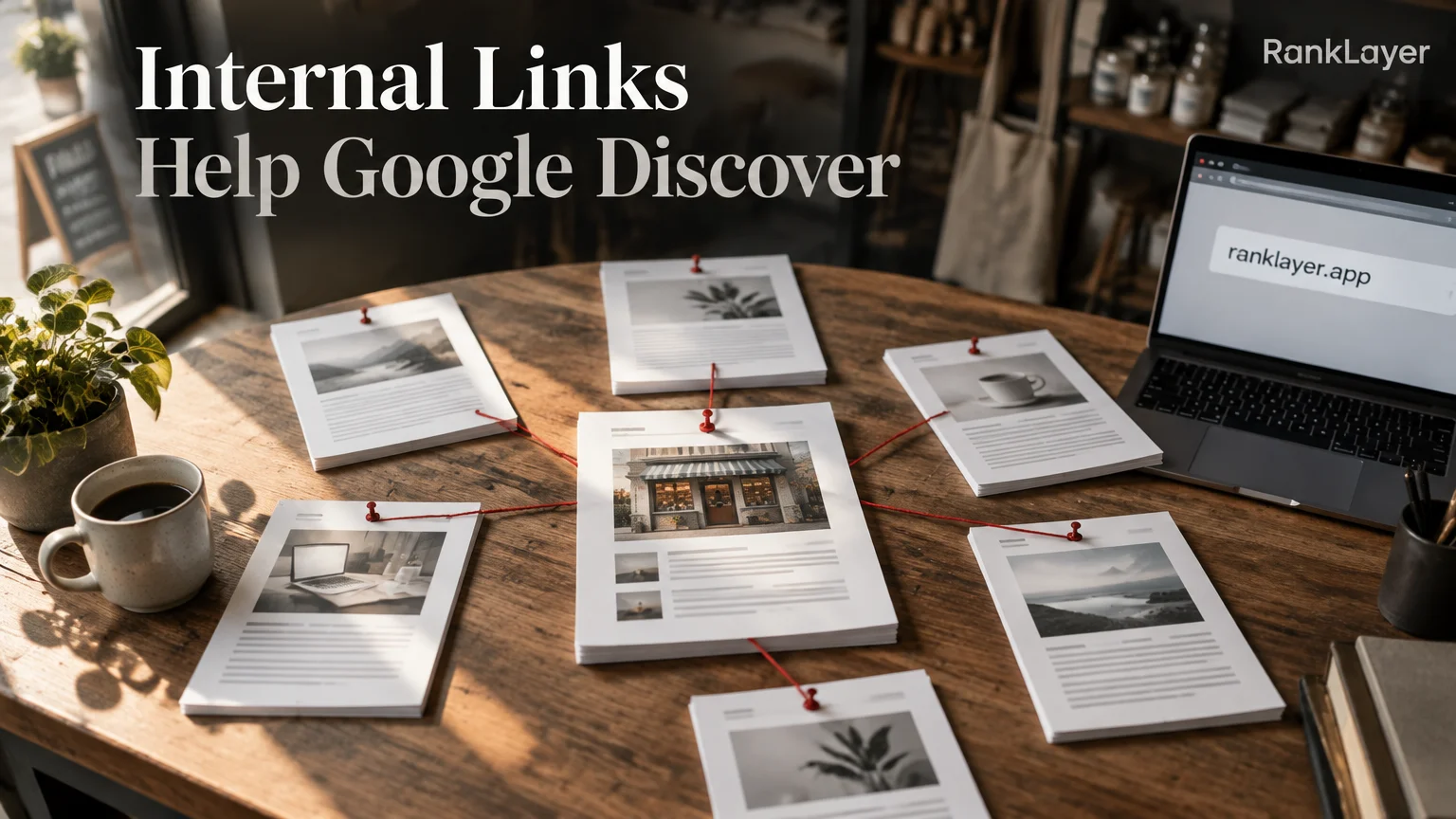
In this article10 sections
- What are internal links, and why do they help Google discover your blog?
- Internal links vs. backlinks: what is the difference?
- How internal links help Google understand your small business blog
- How to create a simple internal linking structure
- How many internal links should a blog post have?
- How to find blog pages with no internal links
- Internal linking mistakes that limit Google discovery
- Should every blog post link to a service or product page?
- A 30-day internal linking plan for a small business blog
- How consistent publishing keeps your internal link network useful
What are internal links, and why do they help Google discover your blog?
Internal links help Google discover your small business blog by connecting one page on your website to another page on the same website. A link from an article about choosing running shoes to a related guide about shoe sizing gives both readers and search engines a clear next step. Think of the links as signposts in a small town. Without them, useful pages may exist, but finding them takes more guesswork.
Google uses links to crawl pages, understand how they relate to one another, and estimate which pages deserve more attention. Its own documentation explains that crawlable links help Google find new URLs and understand the site structure. You can review the Google guide to crawlable links if you want to see the technical requirements in plain detail.
Internal links are different from backlinks. An internal link connects two pages you control, such as a blog post and a service page. A backlink comes from another website and can help with authority and discovery, but you have far less control over whether another site links to you.
For a small business, the practical benefit is simple: every new article should make older, useful pages easier to find. A consistent blog with 30 well-connected posts is usually more useful than 30 isolated posts sitting in a content archive like forgotten leftovers in the office fridge.
Internal links also help readers stay engaged. Someone searching for “how to prepare a tax return” may then need a page about bookkeeping services, pricing, or documents to prepare. If the path is visible and relevant, the visitor can move from a broad question to a business decision without returning to Google.
Internal links vs. backlinks: what is the difference?
A backlink is a link from an external website to your page. For example, a local chamber of commerce linking to a dentist’s service page creates a backlink. An internal link would connect that service page to the dentist’s article about what to expect during a first visit.
Backlinks can provide valuable authority signals, especially when they come from relevant, trustworthy websites. Internal links do not replace backlinks, and they do not magically make a new blog authoritative overnight. Their strength is control: you choose the destination, the context, the anchor text, and the pages that should receive attention.
This distinction matters for owners who hear that SEO requires hundreds of links from other sites. External promotion can help, but basic internal linking is often the faster first improvement because it does not require outreach, negotiations, or waiting for someone else to notice your business.
A useful way to think about the two link types is this: backlinks introduce your business to the neighborhood, while internal links organize your own store. One helps people find the building. The other shows them where the products, services, and information are located.
Start with internal links when your blog has useful content but weak navigation. Then look for backlinks through partnerships, local organizations, suppliers, professional associations, and genuinely useful contributions. Both support visibility, but they solve different problems.
How internal links help Google understand your small business blog
Google does not see your blog as a pile of separate articles. It tries to understand relationships between pages, topics, and entities. Internal linking gives it additional context about those relationships, especially when links appear in relevant sentences rather than in a random list at the bottom of every page.
Imagine an online store selling specialty coffee. A central guide called “Coffee Brewing Methods” could link to articles about pour-over, French press, grind size, water temperature, and coffee makers. Those supporting articles can link back to the central guide and forward to relevant product categories. The pattern tells visitors and search engines that these pages belong to one topic group.
The anchor text matters too. “Read our guide” is vague. “Choose the right grind size for French press coffee” tells the reader what to expect and gives Google useful context. Keep the wording natural, though. Repeating the exact same keyword in every link can make the page feel robotic and unpleasant to read.
Internal links can also distribute authority within your site. A page that earns attention from other websites or from your own navigation can pass some of that value to related pages through links. This does not guarantee rankings, but it can help important pages avoid becoming isolated.
For a more complete discovery system, combine internal links with a clean sitemap, accessible navigation, descriptive titles, and pages that solve real customer questions. The Google SEO Starter Guide reinforces this broader principle: search visibility depends on making content accessible, understandable, and useful for people.
How to create a simple internal linking structure
- 1
Choose three to five core business topics
Group your content around the problems you solve, not only around product names. A yoga instructor might use beginner routines, injury-safe practice, private classes, and local wellness questions as core topics.
- 2
Pick one useful hub page for each topic
A hub is a broad, helpful page that introduces a subject and links to narrower articles. It might be a guide to home organization, bookkeeping basics, SaaS onboarding, or choosing a meal plan.
- 3
Link supporting articles back to the hub
Each detailed article should link back to its relevant hub when the connection helps the reader. This creates a clear relationship instead of leaving supporting content stranded.
- 4
Add links between genuinely related articles
Connect pages that answer the next logical question. An article about choosing a business name could link to brand positioning, domain selection, and local visibility, but it does not need links to every page on the blog.
- 5
Link to a business offering when it solves the reader’s next problem
A helpful article can point to a service, product, booking page, or consultation page when the offer is relevant. Use a clear transition such as “Need help with monthly bookkeeping?” instead of forcing a sales link into an unrelated paragraph.
- 6
Review the path from discovery to action
Open an article as if you were a new customer. Can you reach a related guide, understand the business, and find a sensible next step within two or three clicks? If not, the link structure probably needs attention.
How many internal links should a blog post have?
There is no universal number of internal links that every blog post should contain. A 700-word answer to one narrow question may need three useful links, while a 2,500-word guide may naturally support eight or more. Relevance and usefulness matter more than hitting an arbitrary quota.
For many small business articles, a practical starting point is three to eight internal links. Include one link to a broader topic, two or more links to closely related questions, and one relevant business or conversion page when appropriate. Treat this as a planning range, not a rule handed down from an SEO mountain.
Place important links where the reader needs them. If you mention that beginners often struggle with choosing a service package, link directly to your guide about comparing packages at that moment. A link hidden in a generic “related posts” box may be less helpful because the visitor has already moved past the relevant idea.
Your navigation and footer can handle broad, permanent destinations such as contact, pricing, services, and major categories. In the article body, focus on contextual links that explain why another page is useful.
Avoid adding links simply to increase a count. Ten irrelevant links can make a page harder to read and dilute attention. One well-placed link that answers the reader’s next question is worth more than a small parade of unrelated recommendations.
How to find blog pages with no internal links
A page with no internal links pointing to it is often called an orphan page. Google may still discover it through a sitemap, an external link, or other signals, but the page has no helpful route from the rest of your site. Visitors are unlikely to find it either.
Start with a simple spreadsheet. Export your blog URLs from your content platform or sitemap, then create columns for topic, target audience, hub page, links pointing in, links pointing out, and business goal. Even a manual review of 20 to 50 pages can reveal obvious gaps.
Google Search Console can help you inspect internal link patterns through its Links report. The official Search Console documentation explains how to use the report and interpret the pages receiving internal links. Remember that reports may not reflect every link immediately, so combine the data with a human review.
Look for three warning signs: pages that receive no internal links, important service pages that receive links only from the footer, and articles that link to many pages but receive attention from nowhere else. These patterns often show that publishing has outpaced organization.
When you find an orphan page, do not automatically link to it from every article. First ask whether the page is still useful, unique, accurate, and aligned with a real customer need. If yes, connect it to the most relevant hub and one or two related articles. If not, update, merge, redirect, or retire it according to the page’s value.
Internal linking mistakes that limit Google discovery
- ✓Publishing articles without a topic map: If every post targets a different subject, it becomes difficult to create meaningful connections. Choose a small set of customer problems and build depth around them.
- ✓Using vague anchor text everywhere: Phrases such as “learn more” hide the destination. Write anchor text that describes the next page, such as “compare bookkeeping software for freelancers,” while keeping the wording natural.
- ✓Linking every article to the homepage: The homepage is important, but it is rarely the best answer to a specific question. Send readers to the most relevant guide, category, product, or service page.
- ✓Forcing product links into informational content: Not every paragraph needs a pitch. Link to an offering when it clearly solves the problem discussed, and let educational articles remain genuinely useful.
- ✓Creating huge related-post blocks: A list of 30 links is not a strategy. Curate a few destinations that support the reader’s next step, and organize larger collections through topic hubs.
- ✓Ignoring old content: Older articles may continue attracting impressions and links. Add links from newer posts to valuable older resources, and refresh outdated pages before sending more visitors there.
- ✓Using links that return errors or redirects: Broken destinations waste user attention and can weaken trust. Check important links periodically, especially after changing URLs or retiring offers.
- ✓Treating internal links as a substitute for quality: Links cannot rescue thin, repetitive, or inaccurate content. They work best when the connected pages each provide a distinct answer.
Should every blog post link to a service or product page?
No. Every blog post should have a useful next step, but that step is not always a product page. Someone reading a beginner’s guide may need another educational article first, while someone comparing solutions may be ready for pricing, a demo, a booking form, or a product detail page.
A simple content path often has three layers. Discovery articles answer broad questions, consideration pages explain options and tradeoffs, and commercial pages describe your service or product. Internal links should help readers move between these layers without jumping ahead too aggressively.
For example, a local accountant could publish an article about separating business and personal expenses. That article might link to a guide about monthly bookkeeping, which then links to the firm’s bookkeeping service. The path feels natural because each page answers a more specific question.
An online store can use a similar structure. A guide about choosing a gift for a new homeowner might link to articles about room-by-room ideas, then to a curated collection, and finally to individual products. The goal is not to push every visitor to checkout immediately. It is to make the next useful decision easy.
If you publish regularly without a marketing team, a hosted system can make this structure easier to maintain. RankLayer, for example, creates and publishes SEO-focused articles with hosting included, giving a small business a consistent place to build connected topic paths without managing WordPress or a separate technical stack.
The important safeguard is editorial judgment. Automated publishing should still connect articles to relevant offerings, avoid duplicate destinations, and keep claims accurate. A daily article with thoughtful paths can build a useful library, while a daily article with random links simply creates a larger maze.
A 30-day internal linking plan for a small business blog
- 1
Days 1 to 3: List your important pages
Write down your main services, products, booking pages, category pages, and the ten articles you most want customers to find. Mark pages that generate revenue or answer frequent questions.
- 2
Days 4 to 7: Group articles by customer problem
Create three to five topic groups. If an article does not fit any group, decide whether it needs a clearer angle, a new group, an update, or removal.
- 3
Week 2: Build or improve topic hubs
Choose one strong page for each group and add links to the best supporting articles. Keep the hub useful on its own, with a short explanation of the topic and clear paths to deeper answers.
- 4
Week 3: Repair orphan pages
Use your spreadsheet and Search Console data to find pages with few or no internal links. Add links from the most relevant articles, not from random pages chosen only to inflate the number.
- 5
Week 4: Connect content to business goals
Review whether each topic group offers a sensible next step, such as a product category, service page, consultation, newsletter, or booking link. Measure clicks and conversions rather than judging success only by pageviews.
How consistent publishing keeps your internal link network useful
Internal linking becomes more powerful as your content library grows, but only if the network stays organized. A new article should not be treated as a one-way broadcast. It should link to useful existing pages, and older relevant pages should eventually link back to the new resource.
A lightweight publishing checklist can prevent most problems. Before publishing, identify the article’s topic group, choose two to four related destinations, select one possible business next step, and verify that every destination works. After publishing, add the new URL to the relevant hub or resource page.
Small businesses often struggle because content production and site organization happen in separate worlds. A consistently published hosted blog can reduce that gap by giving each new article a predictable home, topic relationship, and route toward a business offering.
RankLayer is designed for owners who want that consistency without building and maintaining a full website themselves. It can publish articles for businesses such as online stores, SaaS companies, clinics, agencies, restaurants, and independent professionals, while the owner focuses on accuracy, positioning, and customer service.
Keep expectations realistic. Internal links can improve discovery, navigation, and topical understanding, but they do not guarantee a Google ranking or an AI citation. Strong results still depend on useful content, indexable pages, clear business information, technical accessibility, and steady improvement over time.
Frequently Asked Questions
What is an internal link in SEO?▼
An internal link is a clickable link from one page on your website to another page on the same website. It can connect a blog article to a related guide, category, product, service, or contact page. Internal links help visitors navigate and give search engines context about how your pages relate to one another.
How do internal links help Google discover new blog posts?▼
Google can follow crawlable internal links from pages it already knows to pages it has not processed yet. A new article linked from a relevant hub or older article has a clearer discovery path than an isolated URL. Internal links do not guarantee indexing, but they make the site easier for crawlers and people to explore.
How many internal links should a small business blog post have?▼
There is no fixed number that works for every post. Three to eight relevant internal links is a practical starting range for many small business articles, but a short answer may need fewer and a detailed guide may need more. Add links when they help the reader understand the topic or take a logical next step, not just to reach a quota.
Should every blog post link to a product or service page?▼
No, not every post needs a direct commercial link. Informational content may be better served by linking to another educational guide first, while high-intent content can link directly to pricing, booking, product, or service pages. The right test is whether the destination genuinely solves the reader’s next problem.
What is an orphan page in a small business blog?▼
An orphan page is a page with no meaningful internal links pointing to it from other pages on the site. It may still be accessible through a sitemap or external link, but visitors and crawlers have fewer routes to find it. You can identify likely orphan pages by comparing your URL list with internal link reports and then deciding whether to connect, update, merge, redirect, or remove them.
What anchor text should I use for internal links?▼
Use short, descriptive wording that tells readers what they will find after clicking. For example, “bookkeeping tips for freelancers” is more useful than “click here” or “learn more.” Keep anchor text natural and varied, and avoid repeating an exact keyword so often that the writing feels forced.
Can internal links improve rankings without backlinks?▼
Internal links can improve crawling, navigation, and the distribution of contextual signals across your site, even when you have few backlinks. However, they are not a replacement for a strong reputation, useful content, and relevant external references. Think of internal linking as essential site organization, not a shortcut around the broader work of earning visibility.
Can internal links help my business appear in ChatGPT or Gemini?▼
Clear internal links can make your business content easier to navigate and understand, which supports the overall accessibility of your website. They do not guarantee that ChatGPT, Gemini, Perplexity, or another system will cite you. For better visibility, combine connected content with accurate business information, indexable pages, useful answers, and consistent publishing.
Build a blog that is easier for customers and search engines to explore
Explore RankLayerAbout the Author
Vitor Darela de Oliveira is a software engineer and entrepreneur from Brazil with a strong background in system integration, middleware, and API management. With experience at companies like Farfetch, Xpand IT, WSO2, and Doctoralia (DocPlanner Group), he has worked across the full stack of enterprise software - from identity management and SOA architecture to engineering leadership. Vitor is the creator of RankLayer, a programmatic SEO platform that helps SaaS companies and micro-SaaS founders get discovered on Google and AI search engines